
The 9 Best vidyo.ai Alternatives in 2026
First, the confusion: vidyo.ai now redirects to quso.ai. Same product and logins, new name, and credit math that gives monthly subscribers half the minutes annual buyers get. EchoWave tops this list: its AI clip generator pulls 1 to 30 clips per run, scores each 0-100 on Hook, Clarity, Emotion, Value and Trend, and reframes with 7 speaker-aware layouts, with 30 free analysis minutes a month and unmetered editing and captions past that. Free options are flagged throughout.



The 9 Best vidyo.ai Alternatives in 2026 Features
Trusted by thousands of creators worldwide





Why people look for a vidyo.ai alternative
Start with what happened to the product. The rebrand to quso.ai was announced on December 5, 2024 and completed in January 2025: vidyo.ai 301-redirects to quso.ai, existing accounts and projects carried over, and the pitch widened from pure clipping to an all-in-one 'AI social media team' with scheduling and analytics.
The complaints that push people to leave are specific. The credit structure penalizes monthly billing twice: a Lite subscriber gets 100 upload-minute credits a month paying monthly but 200 a month on annual, on top of the price difference ($29 vs $19). The free plan tightened to 75 credits with a watermark, 720p exports and 7-day data retention, which angered legacy vidyo.ai users. Reviewers report bugs that force redoing edits, slow support on complex issues, and no self-serve account deletion. And on the core skill, clip selection, reviewers place it behind dedicated rivals like OpusClip and Vizard: the jack-of-all-trades trade-off.
We tested each pick in the browser and checked every pricing page in August 2026, favoring tools with honest meters or none at all. One update since we first published: EchoWave shipped its own AI clip generator. It pulls 1 to 30 clips per run, grades each 0-100 on Hook, Clarity, Emotion, Value and Trend with plain-English reasons, and reframes with 7 camera layouts driven by on-screen speaker detection (lip movement matched to the voice). Analysis is metered at 30 free source minutes a month; editing, captions and exports past that stay unmetered.
TL;DR: EchoWave is the best overall alternative now that it auto-clips too, with no credit meter on editing; Vizard if you want the most AI clipping minutes per dollar; OpusClip for the most mature automatic moment-picking.
The best vidyo.ai alternatives in 2026, ranked
Every pick tested in the browser. Prices checked August 2026.
- 1
EchoWave
Our pickBest overall: AI auto-clipping plus hands-on editing, with no credit meter on editing
EchoWave now does quso.ai's core job too: point the AI clip generator at a two-hour podcast and it returns 1 to 30 ranked clips, each with a Viral Score from 0 to 100, five sub-scores (Hook, Clarity, Emotion, Value, Trend) and plain-English reasons like "strong hook" or "big reactions". Auto-reframe cuts between the people on screen using lip movement matched to the voice, across 7 layouts from split to presenter plus slides, and every camera move is an ordinary keyframe you can edit shot by shot. A prompt box searches the transcript ("Find moments about pricing"), and word-timed clip captions come in 60+ portrait-ready styles including Hormozi-style word punch and karaoke. From there, translate captions into 80+ languages, reuse a layout by turning your own project into a template, then batch-produce with bulk CSV (one row per video), the REST API, or Zapier. The podcast-to-video workflow covers audiograms and waveform clips for audio-first shows.
The honest scope note: clip analysis is metered at 30 free source minutes a month; editing, captions, and exports stay on a flat price that never runs out mid-month, with free exports carrying a small watermark and a 720p cap. There is no social scheduler, AI B-roll, or dubbing.
- Pricing:
- Free plan; paid from $9/mo billed annually
- Free plan:
- Free forever: 30 AI clip-analysis minutes a month, full editor, 720p exports with a small badge; quick tools export with no watermark
- Best for:
- Podcasters and editors who want AI auto-clipping plus flat, unmetered pricing

Pros
- AI clip generator: 1 to 30 clips per run, Viral Score 0-100 with five sub-scores and reasons, prompt search over the transcript
- Speaker-aware auto-reframe across 7 layouts; every camera move is an editable keyframe
- No credit system for editing, captions or subtitles
- Free plan takes videos up to 60 minutes
- 170+ caption presets with karaoke animation, translation to 80+ languages
- Templates from your own projects, bulk CSV, REST API, and Zapier for repurposing at scale
- Podcast-to-video, audiograms and waveform tools built in
Cons
- No built-in social scheduler or auto-posting
- No AI B-roll or dubbing
- Free plan analyses 30 source minutes a month; free exports carry a small watermark and a 720p cap
- 2
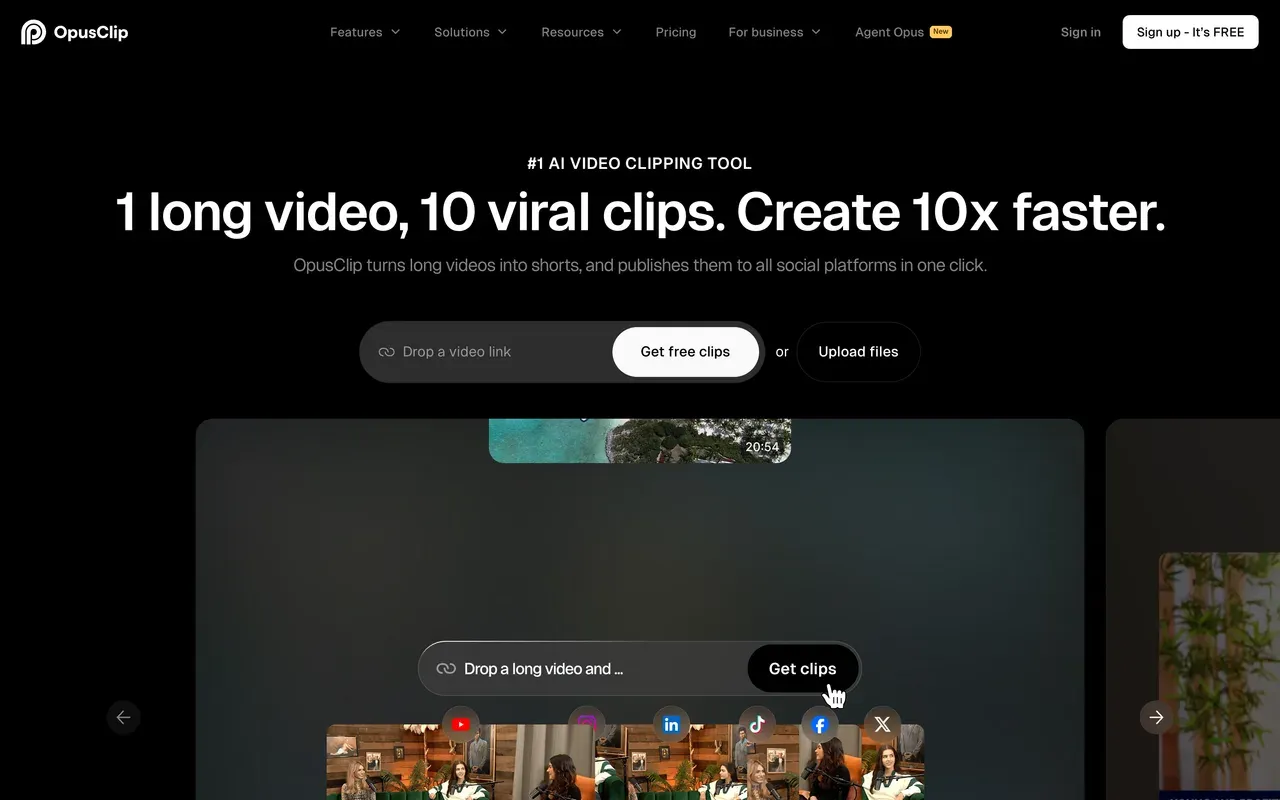
OpusClip
opus.proThe most mature auto-clipping AI, with strict credit expiry
If clip selection quality is why you are leaving quso.ai, OpusClip is the reference point reviewers measure it against. ClipAnything clips any genre using spoken word, visual and emotion cues, ReframeAnything handles resizing with subject tracking, and each clip gets a virality score; Agent Opus goes further and assembles shorts end to end.
The billing is stricter than quso's, not looser: monthly-plan credits expire after 60 days, media becomes inaccessible about 3 days after a subscription ends, and independent testing still found around 40% of generated clips get discarded. Starter is $15/mo with no annual discount; Pro drops to $14.50/mo billed annually.
- Pricing:
- Starter $15/mo (monthly only); Pro $29/mo or $14.50/mo billed annually
- Free plan:
- Free tier: 60 credits/mo, watermark, media and exports expire after 3 days
- Best for:
- Creators who want the strongest automatic moment-picking
Pros
- ClipAnything clips podcasts, gaming, sports and vlogs, not just talk
- Virality score and AI B-roll per clip
- Scheduler, API and Premiere Pro/CapCut export on Pro
Cons
- Credits expire after 60 days on monthly plans
- Projects become inaccessible about 3 days after cancelling
- Refund and cancellation friction; 22% 1-star share on Trustpilot (4.0)
- 3
Vizard
vizard.aiMost upload minutes per dollar in the clipping category
Vizard beats quso.ai at the arithmetic that matters to volume clippers: 600 upload minutes a month from $14.50/mo billed annually, versus quso Lite's 200 annual-billed credits at $19. G2 reviewers (4.7, ~340 reviews) rate its moment detection and caption accuracy highly, captions translate into 100+ languages, and the Business plan adds free team seats.
Read the meter rules first: editing sessions consume credits beyond the upload itself (one tested video burned 17 of the free plan's 60 credits across two sessions), and monthly-plan credits expire after 2 months.
- Pricing:
- Creator $29/mo, or $14.50/mo billed annually
- Free plan:
- Free tier: 60 credits/mo, 720p, watermark, 10-minute export cap, 3-day storage
- Best for:
- High-volume podcast and webinar clipping on a budget

Pros
- 600 upload minutes/mo from $14.50 billed annually
- Strong clip selection and caption accuracy per G2 reviews
- Text-based editing and 100+ caption languages
- Free team seats on the Business plan
Cons
- Editing burns extra credits beyond upload minutes
- Credits expire after 2 months on monthly plans
- Limited fine control once clips need real polish
- 4
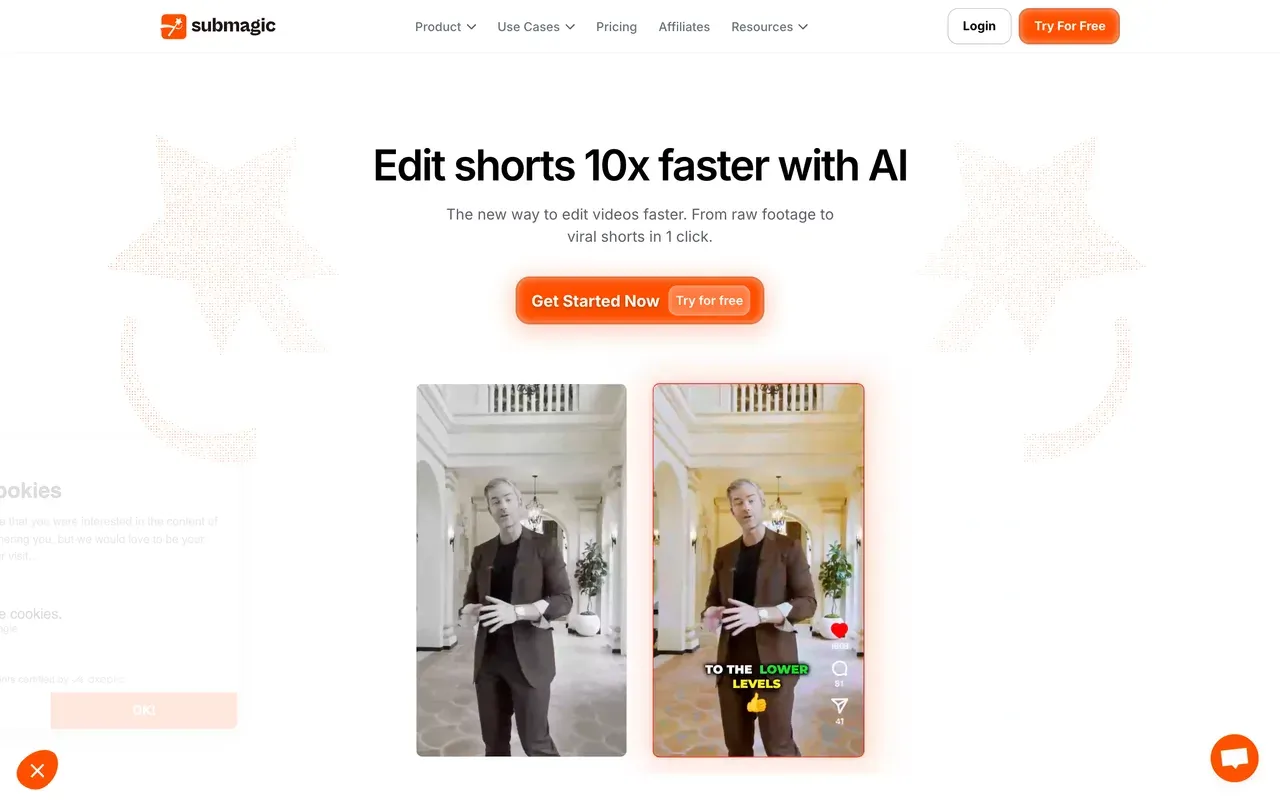
Submagic
submagic.coCaption styling and auto-editing first, clipping as an add-on
Submagic approaches the same short-form goal from the caption side: trendy templates in 123 languages, plus one-click auto-editing that removes silences and adds zooms, transitions and sound effects. For raw caption polish on clips you already have, it is stronger than quso.ai.
Its meters run on different axes: plans cap video count and per-video length (Starter, $12 per member/mo billed annually, allows 15 videos up to 2 minutes each), and Magic Clips, the long-video clipping feature quso includes natively, costs a separate $19/mo add-on. Trustpilot reviewers also flag surprise annual renewals.
- Pricing:
- From $12/mo per member billed annually (Starter); $19 monthly
- Free plan:
- Free tier: 3 videos/mo, 90-second and 200MB caps, watermark
- Best for:
- Polishing short clips with stylized captions and auto-edits
Pros
- Standout caption templates, 123 languages
- Auto-editing: silences out, zooms and SFX in
- Public API with Zapier, Make and n8n
Cons
- Video-count and length caps on every plan
- Long-video clipping is a paid add-on
- Surprise annual renewals reported, strict no-refund stance
- 5
Munch (now Munch Studio)
munchstudio.comNo longer a clipper: the self-serve product shut down at the end of 2025
Know this before comparing: GetMunch, the self-serve AI clipping tool that competed head-on with vidyo.ai, stopped working on December 31, 2025. getmunch.com now redirects to munchstudio.com, and the replacement, Munch Studio, is a different product: an AI done-for-you social system that trains on your brand and generates strategy, scripts, videos and posters for approval, priced at $38 or $60 a month billed annually ($456 to $720 upfront) with only a 7-day trial.
It suits hands-off small businesses, not editors. The legacy clipper's Trustpilot sits at 2.1 with complaints about clip quality and cancellation difficulties, so former Munch users are exactly who the rest of this list is for.
- Pricing:
- $38/mo billed annually ($456/yr); no monthly billing shown
- Free plan:
- No free plan; 7-day trial only
- Best for:
- Businesses that want AI-generated social content without editing at all

Pros
- Fully automated content strategy and generation
- Approval-based posting across major platforms
- Agency workspaces per client
Cons
- The AI clipping product no longer exists
- Annual-only billing with a large upfront charge
- Legacy Trustpilot at 2.1 with billing and cancellation complaints
- 6
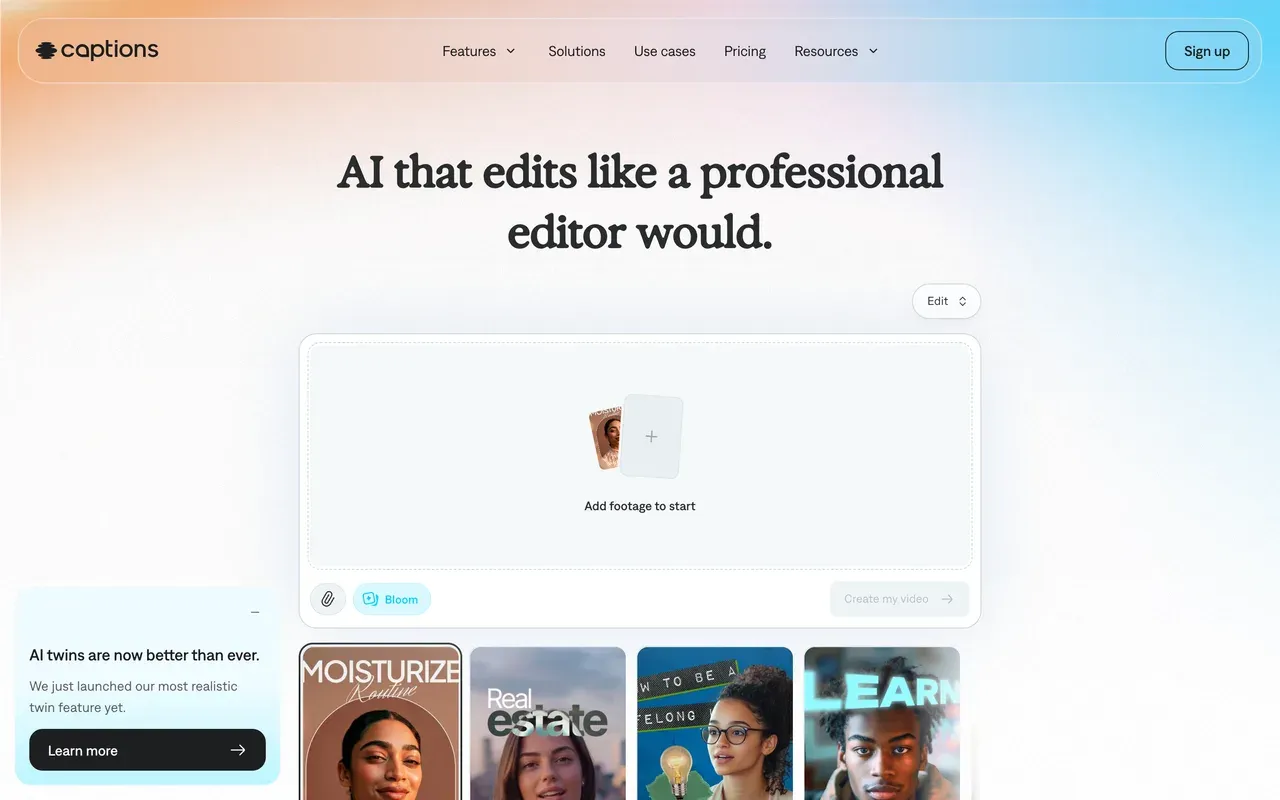
Captions
captions.aiMobile-first AI editing with avatars, at a higher entry price
Captions (its parent company rebranded to Mirage in September 2025) is the phone-native answer: shoot, auto-edit in selectable styles with zooms and B-roll, caption with 100+ styles, and publish, with AI avatars and lip-synced dubbing in 100+ languages layered on top. None of that matches quso's scheduling-suite shape; it is a different workflow.
Pricing is the sticking point: the cheapest visible plan is now Max at $24.99/mo with 500 credits after the old ~$9.99 tier vanished from the pricing page, the page notes prices 'reflect iOS plans only', and Trustpilot reviewers report credits consumed when AI output glitches.
- Pricing:
- Max $24.99/mo (iOS pricing; annual discounts exist but are not published)
- Free plan:
- Free tier: basic tools only, watermarked exports, no AI features
- Best for:
- Mobile-first talking-head creators who want auto-edited, dubbed videos
Pros
- AI Edit produces styled cuts with zooms and B-roll automatically
- AI avatars and lip-synced dubbing in 100+ languages
- Strong mobile capture-to-publish flow
Cons
- Entry price effectively jumped to $24.99/mo
- Published prices reflect iOS plans only
- Credit complaints: charged for glitched AI output
- 7
Repurpose.io
repurpose.ioDistribution pipes, not an editor
Repurpose.io covers the half of quso.ai that is about publishing rather than clipping: set-and-forget workflows that republish content between platforms automatically (TikTok to Shorts, podcast RSS to video), with watermark removal on TikTok cross-posts and a content calendar. If your quso usage was mostly the scheduler, this is the specialist.
It edits nothing, and the automation needs babysitting: one analysis found roughly 27 to 31% of users reporting workflow failures and connections needing re-authorization, and template rendering bugs recur in reviews. Starter is $35/mo with no permanent free plan.
- Pricing:
- Starter $35/mo, or about $29/mo billed annually
- Free plan:
- No free plan; 14-day trial, publish 10 videos free
- Best for:
- Hands-off cross-platform republishing at volume

Pros
- Automatic republishing between platforms on new uploads
- Removes TikTok watermarks when cross-posting
- Handles podcast RSS feeds and live recordings
Cons
- No editing capability at all
- Workflow failures and re-auth churn reported by a sizable share of users
- $35/mo entry with no ongoing free tier
- 8
Descript
descript.comClip long recordings by editing the transcript yourself
Descript sits between EchoWave's manual approach and quso's automation: you find and cut clips by editing the transcript, with the Underlord AI co-editor handling multi-step jobs like clip suggestions and captions on request. For interview shows where the best moments need human judgment, that beats any virality score.
Its pricing carries the same disease people flee at quso, in duplicate: media hours and AI credits are metered separately, users report credit allowances vanishing quickly, and the rebuilt editor draws stability complaints on long projects. Hobbyist starts at $16/mo billed annually.
- Pricing:
- From $16/mo per user billed annually (Hobbyist); $24 monthly
- Free plan:
- Free tier: 60 media minutes/mo, 720p exports, 100 one-time AI credits
- Best for:
- Interview and podcast teams that clip by transcript

Pros
- Transcript editing makes finding clip moments fast
- Underlord AI runs multi-step edits on request
- Strong screen and remote recording built in
Cons
- Dual meter: media hours plus AI credits
- Editor stability complaints on long projects
- Per-user pricing
- 9
VEED
veed.ioA general-purpose suite when clipping is only part of the job
VEED lands last here not because it is weak but because it answers a broader question than quso.ai: it is a full browser platform with an editor, unlimited auto subtitles on paid plans, a recorder, avatars and a Gen-AI studio. If your clips are one output among many formats, that breadth pays off.
For pure clipping economics it does not compete: plans are per user (Creator $10/mo billed annually, $20 monthly), AI runs on yearly credits users describe as running out fast, the free tier is a watermarked 720p demo capped at 10 minutes, and billing complaints lead its Trustpilot profile (4.1).
- Pricing:
- From $10/mo per user billed annually (Creator); $20 monthly
- Free plan:
- Free tier: 720p, 10-minute max export, watermark, limited AI credits
- Best for:
- Teams producing many content formats, not just clips

Pros
- Editor, subtitles, recorder and AI generation in one place
- Unlimited auto subtitles on paid plans
- Team and brand-kit features
Cons
- Per-seat, credit-metered pricing
- Demo-grade free tier
- Recurring billing complaints
quso.ai (formerly vidyo.ai) vs EchoWave at a glance
| Feature | EchoWave | quso.ai |
|---|---|---|
| Free tier reality | Free forever: full editor, videos up to 60 minutes, unmetered captions | 75 credits/mo, 720p exports, 7-day data retention |
| Watermark on free exports | Small badge in the full editor; quick tools export with no watermark | Watermark on the free plan |
| Cheapest paid plan | $9/mo billed annually | Lite $19/mo billed annually; $29 monthly |
| Credit system | None for editing, captions or subtitles | 1 credit per upload minute; monthly billing gets half the credits of annual |
| Auto-clipping (AI finds the moments) | Yes, 1 to 30 clips per run, each scored 0-100 on Hook, Clarity, Emotion, Value and Trend with plain-English reasons, plus prompt search and manual clipping | Yes, automatic moment detection |
| Auto-reframe to vertical | Yes, 7 layouts incl. split, grid and presenter plus slides, cutting on speaker turns via lip movement matched to the voice | Yes, clips are reframed for vertical platforms |
| Captions | Auto-transcribe 50+ languages, 170+ presets, karaoke styles, translate to 80+ | Subtitles in 100+ languages with filler-word removal |
| Editing depth | Full multi-track editor plus text-based cuts and silence removal | Clip-focused editing around AI output |
| Automation for volume | Own-project templates, bulk CSV (1 row = 1 video), REST API and MCP | AI clipping pipeline plus AI-written captions and hashtags |
| Social scheduler | Not built in; REST API, MCP, and Zapier available for automation instead | Publish and schedule to 6 platforms with analytics |
| Max export resolution | 1080p on Basic, 4K on Pro, 8K on Business | 720p free; unlimited 1080p clip exports on Lite |
| Account required to start | No, the editor opens without a signup | Yes, account-based web app |
Best free vidyo.ai alternative
Every AI clipper's free tier is a demo: quso.ai gives 75 watermarked credits at 720p, OpusClip gives 60 credits with media wiped after 3 days, and Vizard gives 60 credits with a 10-minute export cap. The only genuinely usable free option here is EchoWave: 30 minutes of AI auto-clipping a month plus unlimited manual cutting on videos up to 60 minutes, caption them all, with a small badge on full-editor exports and none on the quick tools.
vidyo.ai alternative without a watermark
On free clipper tiers, watermarks are the norm: quso.ai, OpusClip and Vizard all apply one. Removing it means paying: Vizard Creator at $14.50/mo billed annually is the cheapest watermark-free clipping tier on this page, OpusClip Starter is $15/mo, and quso Lite is $19/mo annual. On EchoWave, $9/mo billed annually removes the badge everywhere, and the free trim, crop, compress and convert tools already export clean.
Cheapest quso.ai alternative for podcast clips
Run the numbers per month of real output. Vizard leads the automated field: 600 upload minutes for $14.50/mo billed annually, twice quso Lite's annual allowance at a lower price, with the caveat that edits burn extra credits. OpusClip Pro matches the $14.50 annual price with 300 credits and stronger clip selection. EchoWave at $9/mo billed annually is the cheapest overall, with 30 free AI auto-clip minutes a month on top since editing minutes never run out; pair it with podcast-to-video for audio-first episodes.
How to switch from vidyo.ai to EchoWave
Turn a long recording into captioned clips in three steps.
-
1. Upload your recording
Drag your podcast or webinar file into the browser editor, or convert an audio-only episode with audio to video first. No account needed to start.

-
2. Cut clips and add captions
Trim the moments you want on the timeline or delete transcript words to ripple-cut, then style captions with the caption generator and its karaoke presets.

-
3. Export every clip
Download as many clips as you like; no credits are counted. Save the layout as a template and batch future episodes with bulk CSV, or automate via the online video editor workflow.

Why people choose EchoWave

About the EchoWave team
EchoWave is a browser-based video and audio editor built by Lemon Vault LLC since 2018. The people who build the editor write these guides and test every step in the production app before publishing.
vidyo.ai alternative FAQ
What happened to vidyo.ai?
It rebranded. The change to quso.ai was announced on December 5, 2024 and completed in January 2025; vidyo.ai now 301-redirects to quso.ai. It is the same company, team and product with the same logins, repositioned from a pure AI clipping tool into an all-in-one social suite with clipping, scheduling and analytics. The service did not shut down, and the company claims 4 million users.
Is quso.ai the same as vidyo.ai? Do my old logins still work?
Yes. quso.ai is vidyo.ai under a new name: accounts, plans and projects carried over automatically when the rebrand completed in January 2025. What did change over time is the packaging: current tiers are Lite, Essential and Growth, the free plan tightened to 75 credits a month with a watermark and 7-day retention, and annual billing now doubles your monthly credit allowance compared with paying month to month.
What is the best free vidyo.ai alternative?
EchoWave: its free plan takes videos up to 60 minutes and includes 30 minutes of AI clip analysis a month, enough to pull a ranked, Viral Score-graded set of clips from a full episode, plus unlimited manual cutting and captions with 170+ presets, with a small badge on full-editor exports at 720p. For more automatic-clipping volume, both OpusClip and Vizard offer 60 credits a month, but treat them as trials: OpusClip deletes free media after 3 days, and Vizard caps free exports at 720p and 10 minutes with 3-day storage.
What is cheaper than vidyo.ai (quso.ai)?
quso Lite costs $19/mo billed annually or $29 monthly. Cheaper automated clipping: Vizard Creator at $14.50/mo billed annually with 600 upload minutes (triple quso Lite's annual 200 credits), and OpusClip Pro, also $14.50 annual, with 300 credits. Cheaper overall: EchoWave Basic at $9/mo billed annually, which meters nothing on editing and includes 30 free AI clip-analysis minutes a month. Full breakdown on pricing.
How do I remove the vidyo.ai watermark?
There is no legitimate remover tool; the watermark on quso.ai free exports comes off by upgrading to a paid plan, Lite at $19/mo billed annually or $29 monthly. If you would rather not pay a clipper subscription, EchoWave's quick tools such as the video compressor export free with no watermark, and its full editor drops the badge on any paid plan from $9/mo billed annually.
vidyo.ai (quso.ai) vs EchoWave: which should I pick?
Pick quso.ai if scheduling posts to 6 platforms and analytics in the same subscription matters, and you will commit to annual billing for the doubled credits. Pick EchoWave if you want AI to find the moments too: 1 to 30 clips per run, a Viral Score 0-100 with Hook, Clarity, Emotion, Value and Trend sub-scores, and auto-reframe that follows whoever is talking on screen, plus a real editor with unmetered captions and podcast-to-video tools at a flat $9/mo billed annually, with 30 free analysis minutes a month. The honest line: quso schedules the posts, EchoWave hands you finished files to post yourself.
What does EchoWave's AI clip generator actually do?
Give it one long video or audio file and it transcribes (auto-detecting around 99 languages), finds the highlight moments, and returns 1 to 30 clips ranked by a Viral Score of 0 to 100 with Hook, Clarity, Emotion, Value and Trend sub-scores and plain-English reasons. Each clip is auto-reframed with one of 7 layouts using on-screen speaker detection (lip movement matched to the voice), captioned word by word in any of 60+ portrait-ready styles, and given an AI title and hashtags. Type "Find moments about pricing" to search the transcript directly. Every clip opens as a normal EchoWave project, so anything is editable; free exports carry a small watermark at 720p.
quso.ai vs OpusClip vs Vizard: which clipper wins?
Reviewers rate quso.ai's clip precision behind both dedicated rivals; that is the cost of its all-in-one scope. OpusClip has the most mature selection tech (ClipAnything, virality scores) but the strictest terms: credits expire in 60 days and projects go dark about 3 days after cancelling. Vizard wins on economics with 600 upload minutes at $14.50/mo billed annually, though editing burns extra credits. Pick by which failure mode annoys you least.
Why does annual billing matter so much on quso.ai?
Because it changes the product, not just the price. On quso.ai, annual billing doubles your monthly credit allowance: Lite gets 200 credits a month on annual versus 100 on monthly, while also costing $19 instead of $29. A monthly Lite subscriber effectively pays about $0.29 per upload minute, roughly triple the annual rate. If you stay, switch to annual; if committing a year up front to a tool you are unsure about feels wrong, that is a fair reason to look at flat-priced alternatives.
Is there a vidyo.ai alternative without any credit system?
Yes, on editing: EchoWave charges nothing per minute for editing, captions or subtitles on any plan, free included. Its AI clip generator does draw on a monthly analysis allowance, 30 free source minutes that reset every month, which is far gentler than the alternative: every automatic clipper on this page (OpusClip, Vizard, quso.ai itself) bills by upload-minute credits that expire, and Submagic caps video counts instead. Descript meters media hours and AI credits separately.
The honest verdict
Clip your next episode without counting credits Free plan, no account needed to start
Unmetered editing and captions in your browser. No credit card required.
Try EchoWave Free →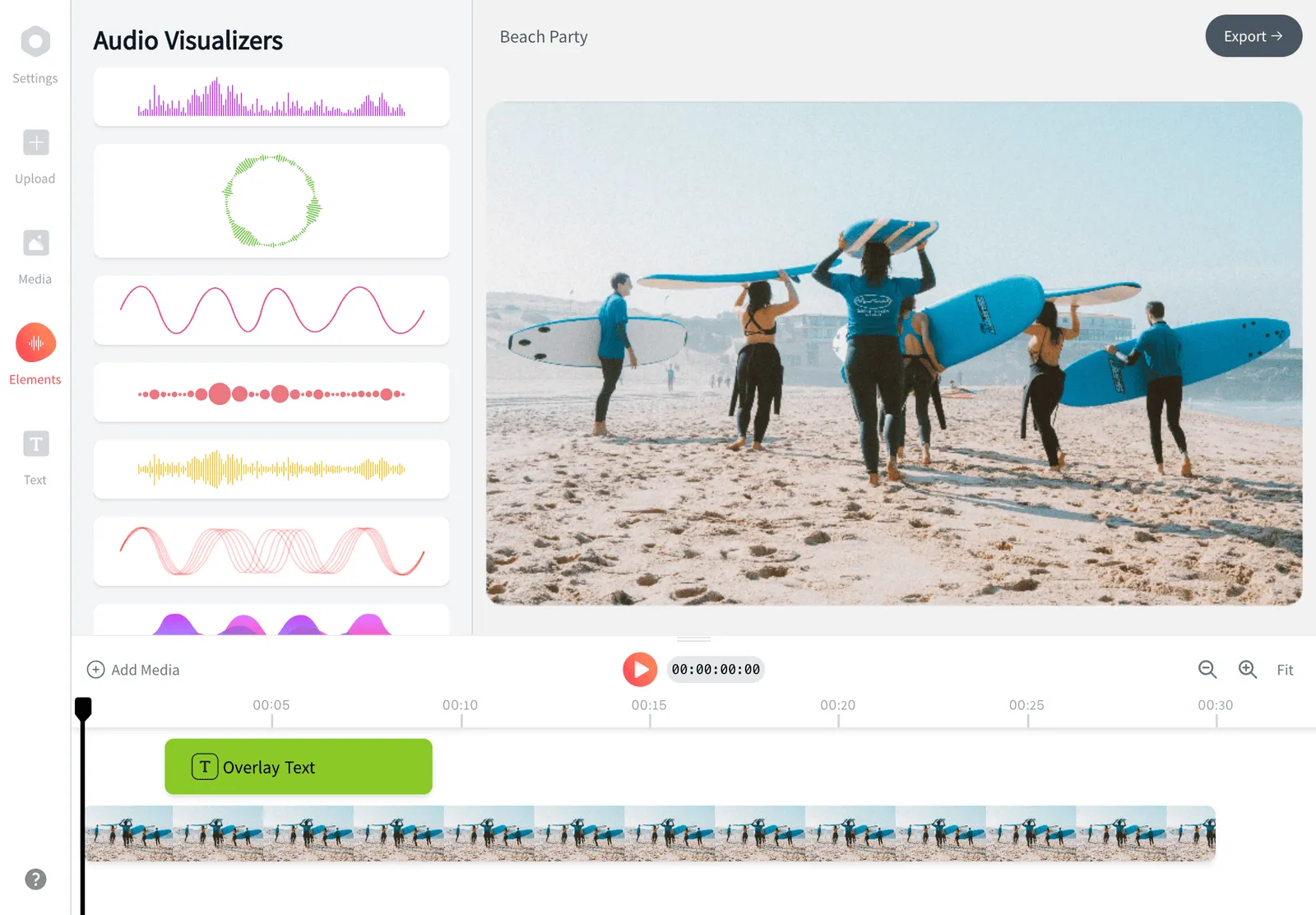
How we checked
Prices and limits on this page are as checked August 2026, against these sources:
- quso.ai pricing (quso.ai)
- vidyo.ai becomes quso.ai (quso.ai announcement)
- How credits work (helpdesk.quso.ai) (quso.ai Help Center)
- OpusClip pricing (opus.pro) (OpusClip)
- Vizard pricing (vizard.ai) (Vizard)
- Submagic pricing (submagic.co) (Submagic)
- Munch Studio pricing (munchstudio.com) (Munch Studio) and the GetMunch transition notice (intercom.help) (Munch Help Center)
- Captions pricing (captions.ai) (Captions)
- Repurpose.io pricing (Repurpose.io)
- Descript pricing (descript.com) (Descript)
- VEED pricing (veed.io) (VEED)
Every competitor claim on this page was re-verified against the sources above on August 3, 2026.
Pricing and limits change often. If anything here is out of date, email hello@echowave.io with a link and we'll correct it. Our editorial policy explains how we test and update comparisons.
Trademark and comparison notice. quso.ai (formerly vidyo.ai) and all related names, logos, product names and trademarks are the property of their respective owners. EchoWave is an independent product and is not affiliated with, associated with, authorised by, endorsed by, sponsored by, or in any way officially connected to quso.ai (formerly vidyo.ai) or its owners. Any third-party names, logos and trademarks are used here only to identify and compare the products honestly (nominative fair use) and do not imply any endorsement, partnership or affiliation.
This comparison reflects EchoWave's own opinion and our understanding of publicly available information believed accurate at the time of writing. Third-party features, pricing and availability change frequently and can vary by region, so figures may be out of date; please confirm the current details on quso.ai (formerly vidyo.ai)'s official website before making a decision. EchoWave makes no representation or warranty as to the accuracy or completeness of any third-party information shown here. If you believe anything on this page is inaccurate or out of date, please contact us and we will review it promptly.