
MP4 to MKV Converter
Repack an MP4 into a flexible MKV for media servers, subtitles, and multiple audio tracks. Free, in your browser, with no signup and no watermark.


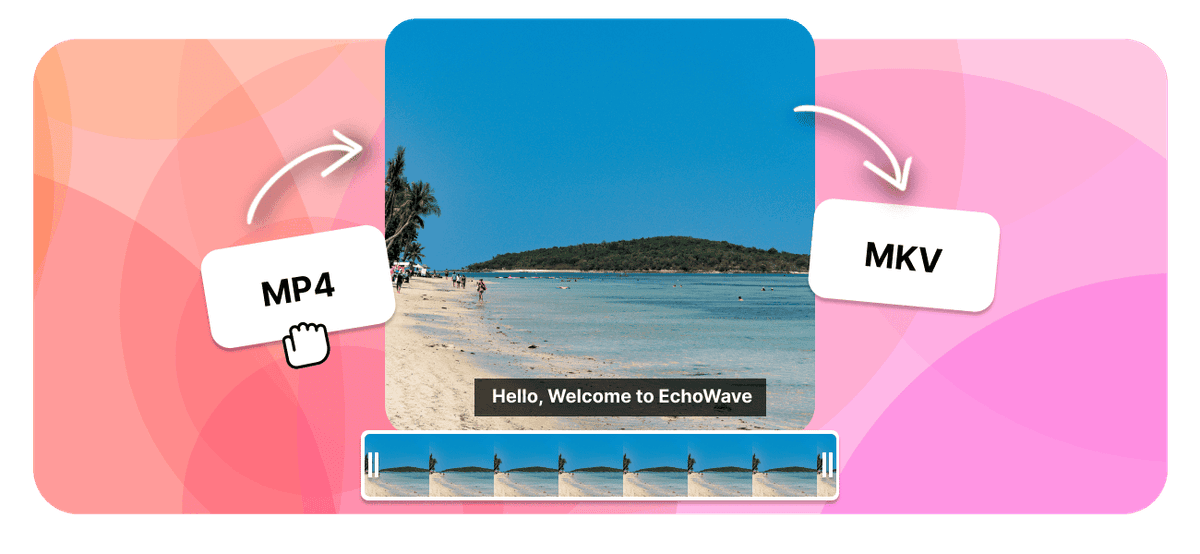
MP4 to MKV Converter Features
EchoWave is used by creators, marketers, educators, and businesses to convert and edit media online.





MKV is an open container that can hold many audio tracks, soft subtitles, and chapters in a single file, which makes it the favorite for Plex, Kodi, and home media libraries. Converting your MP4 to MKV puts the same video into that more flexible container, free and right in your browser with no signup. When the codecs already fit, the change is lossless.
How it works
How to convert MP4 to MKV
- 1
Upload your MP4
Drag your MP4 onto the converter or pick it from your device. Nothing to install.
- 2
Choose MKV and convert
Select MKV as the output and start. Free, with no sign-up and no watermark.
- 3
Download your MKV
Save the finished MKV, or open it in the editor to trim, crop, or resize it first.
Try it
Estimate your MKV
Pick a video bitrate and a length to see the MKV file size before you convert.
Drag to set the clip length in minutes, from 1 to 30.
An estimate. Real size varies with resolution, frame rate, and how much the picture moves.
The formats
MP4 vs MKV
MPEG-4 Part 14
The video format that plays everywhere
- Type
- Video container
- Holds
- H.264 video plus AAC audio, sometimes subtitles
- Typical size
- Large, it carries video
- Plays on
- Phones, browsers, TVs, almost any player
Best for:Watching and sharing video
Matroska Video
An open container that holds almost anything
- Type
- Open video container
- Holds
- Almost any codec, plus several audio and subtitle tracks
- Typical size
- Large, depends on the codec inside
- Plays on
- VLC and most modern players, less on default phone apps
Best for:Movies with multiple audio tracks and subtitles
Will it lose quality?
- When the codecs already match MKV, the converter can change the container without re-encoding, so the picture stays identical.
- When the video has to be re-encoded for MKV, a high bitrate keeps it visually close to the MP4.
- Converting cannot add detail the MP4 never had. The output is at best as good as the source.
Use cases
What people use it for
Troubleshooting
If something looks off
The MKV will not play
The file got larger
Audio and video drift out of sync
FAQ
MP4 to MKV questions
Is the MP4 to MKV converter free?
How do I convert MP4 to MKV?
Is converting MP4 to MKV lossless?
Why convert MP4 to MKV?
Does MKV reduce the file size?
After converting MP4 to MKV, what plays the file?
Can I keep subtitles and multiple audio tracks?
Does the MP4 to MKV converter work on Mac, Windows, iPhone, and Android?
What is the difference between MP4 and MKV?
Is MKV better quality than MP4?
How long does it take to convert MP4 to MKV?
Is there a file size limit for MP4 to MKV conversion?
When to use MKV instead of MP4
MP4 is the container that plays everywhere. MKV is the container that carries everything. That single difference decides which one you want.
MKV is the right choice when one file has to hold more than one thing:
- Several audio tracks. An original language plus a dub, or a commentary track sitting alongside the film. MP4 can technically hold extra tracks, but players treat them inconsistently and plenty of tools quietly drop them.
- Soft subtitles. MKV stores subtitles as text you can switch on, off, or swap between languages, rather than burning them permanently into the picture. Plex, Kodi, and VLC all surface them as a menu.
- Chapters and metadata. Chapter markers, track names, and cover art survive in MKV, which is what makes it the format of choice for archiving a film with all its extras in one tidy file.
- Media servers. Plex, Jellyfin, and Kodi libraries are built around MKV, so a converted file slots straight in with its tracks intact.
MP4 remains the better container when the destination is a phone gallery, a social upload, or a web page, since some TVs and mobile apps still refuse MKV. If that is where your file is heading, convert the other way with MKV to MP4 instead.
MP4 to MKV without quality loss
Because MKV is a container and not a compression format, this conversion can be a straight repack. The same H.264 or H.265 video stream and AAC audio are lifted out of the MP4 and written into an MKV untouched, so there is no re-encode, no generation loss, and the picture that comes out is exactly the picture that went in. File size stays close to the original for the same reason.
That fast path applies whenever the codecs already inside your MP4 fit MKV, which covers the overwhelming majority of MP4 files in the wild. Where a re-encode genuinely cannot be avoided, a high bitrate keeps the result visually indistinguishable from the source.
Two things the conversion will not do, both of which people reasonably expect it might. It will not shrink your file, because moving the same data into a different wrapper saves nothing: use the video compressor for that. And it will not improve the source, since MKV can carry a better file than MP4 can but cannot restore detail that was thrown away before it arrived.
What people say after converting with EchoWave

About the EchoWave team
EchoWave is a browser-based video and audio editor built by Lemon Vault LLC since 2018. The people who build the editor write these guides and test every step in the production app before publishing.
Convert MP4 to MKV for free Free online converter
Upload an MP4 and get a flexible MKV ready for your media server. No signup, no file limits, and no watermark.
Convert Files →
Keep converting