
The 10 Best CapCut Alternatives in 2026
CapCut roughly doubled its prices, moved auto captions behind Pro and added a watermark to free exports. Our top pick is EchoWave: a browser editor with a free plan that handles 60-minute videos and quick tools that export with no watermark. Free and cheaper options are ranked below, honestly.



The 10 Best CapCut Alternatives in 2026 Features
Trusted by thousands of creators worldwide





Why people look for a CapCut alternative
CapCut is still a very good short-form editor. People are not leaving because it got worse at editing. They are leaving because of what happened to the price and the free plan. Through 2025, features that used to be free, including auto captions, motion blur, several filters and fonts, and audio extraction, moved behind the Pro paywall. Free exports now carry a CapCut watermark, a reversal of the watermark-free policy that built its user base. Then the tiers were restructured: the old Pro (around $9.99/mo) was renamed Standard, and a new Pro appeared at $19.99/mo or $179.99/yr, with annual subscribers rolled onto the new rate around February 2026. On top of that, CapCut does not publish prices on its site at all. Its own help page says cost varies by region, device and promotion, and app-store billing costs more than the web.
There is also the ownership question. CapCut's US operations now sit under the TikTok USDS joint venture that closed in January 2026, after a roughly 48-hour ban in January 2025 that scared plenty of creators into backing up projects.
For this list we tested each editor in the browser where possible and checked every pricing page in August 2026. Prices below are what we found, flagged where a company does not publish them.
TL;DR: EchoWave is the best overall alternative for creators who want a free, no-install editor with unmetered captions; Clipchamp if you want watermark-free 1080p exports for free; Filmora if you want installed desktop software with a one-time license option.
The best CapCut alternatives in 2026, ranked
Every pick tested in the browser. Prices checked August 2026.
- 1
EchoWave
Our pickBest overall for creators who want CapCut's everyday jobs without the paywall creep
Switching from CapCut gets you the things CapCut just took away. Auto subtitles are free with no monthly caption meter, and there are 170+ caption presets including karaoke word-by-word styles, so the captions workflow CapCut moved behind Pro stays free here. The free plan handles videos up to 60 minutes, and the dedicated quick tools for trimming, cropping, compressing and converting export with no watermark at all. Because it runs in any browser, it is also the practical answer to "CapCut for PC": nothing to install, works on Mac, Windows, Linux and locked-down school or work machines, and you can start editing with no account.
What stays the same: a real multi-track timeline, subtitles and captions, screen recording, AI voiceovers, background removal and chroma key. What you gain that CapCut never had: audio-first tools like the music visualizer and waveform videos, plus 150+ file converters. Paid plans are published openly and cost less than CapCut Pro: Basic at $9/mo billed annually removes the watermark at 1080p, Pro at $17/mo annually adds 4K. The honest caveat: CapCut's trend-template ecosystem and TikTok integration are unmatched for trend-chasing, and its effects and keyframe library runs deeper.
- Pricing:
- Free plan; paid from $9/mo billed annually
- Free plan:
- Free forever: full editor, 720p exports with a small badge; quick tools export with no watermark
- Best for:
- Creators who caption everything, edit on desktop or Chromebook, and want flat published pricing

Pros
- Free auto subtitles with no monthly caption cap, 170+ presets including karaoke styles
- Quick tools (trim, crop, compress, convert) export watermark-free on the free plan
- Runs in any browser with no install and no signup to start
- Free plan supports videos up to 60 minutes
- Transparent pricing, cheaper in many countries via purchasing-power pricing
- Music visualizer, audiograms and 150+ converters built in
Cons
- Free editor exports cap at 720p with a small watermark badge
- No trend-template gallery or TikTok-synced effects library
- No AI avatars or text-to-video generation
- 2
VEED
veed.ioThe broadest browser suite, if you can afford per-seat AI-credit pricing
VEED is what CapCut's web app wants to be: a full browser platform with auto subtitles, a recorder, AI avatars, text-to-speech and a Gen-AI studio aggregating 25+ video models. If you are leaving CapCut because you want more AI, not less spending, VEED is the upgrade path.
The trade is money. The free plan caps exports at 720p and 10 minutes with a watermark, and paid plans are per user with everything AI metered by yearly credits: Creator is $10/mo billed annually but $20 month-to-month, and users report credits running out fast. Billing complaints, including auto-renewal disputes, are the dominant theme in its Trustpilot reviews (4.1 from roughly 3,500 to 4,000 reviews).
- Pricing:
- From $10/mo per user billed annually ($20 monthly)
- Free plan:
- Free: 720p, 10-minute export cap, watermark, limited AI credits
- Best for:
- Teams that want subtitles, repurposing and AI generation in one browser tool

Pros
- Very broad toolset: editor, subtitles, recorder, avatars, TTS in one place
- Gen-AI Studio with 25+ text-to-video models
- Strong subtitle and translation workflow (50+ languages on Pro)
- Brand kits and team controls for marketing teams
Cons
- Free tier is demo-grade: watermark, 720p, 10-minute cap
- AI credits run out quickly; monthly billing is about double the annual rate
- Recurring auto-renewal and refund complaints
- 3
Clipchamp
clipchamp.comThe free-tier winner: watermark-free 1080p exports at no cost
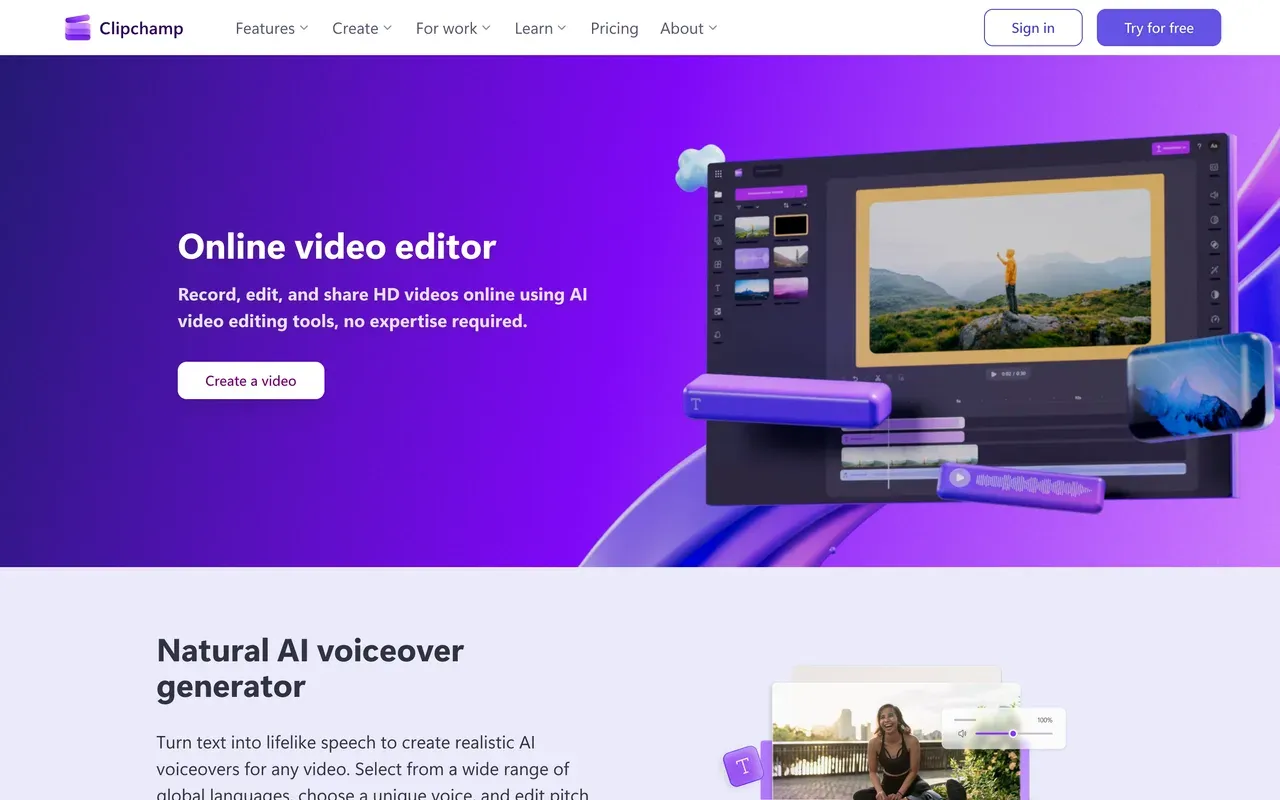
If the CapCut watermark is your whole reason for leaving, Clipchamp is the cleanest fix. Microsoft's editor exports 1080p with no watermark on the free plan, the most generous free policy in this category, and it ships inside Windows 11. It also covers screen and camera recording, auto subtitles in 80+ languages and AI voiceovers.
Expect less depth than CapCut, not more. Reviewers cite shallow effects and keyframing, lag on longer timelines, and official support only in Chrome and Edge with no Mac desktop app. 4K export requires Premium, which is mainly sold through Microsoft 365 bundles ($9.99/mo Personal), so heavy users get funneled into the Microsoft ecosystem.
- Pricing:
- Free; Premium $11.99/mo, or bundled with Microsoft 365 from $9.99/mo
- Free plan:
- Free: watermark-free 1080p exports, free stock and filters only
- Best for:
- Windows users who want free, watermark-free 1080p without learning a new editor
Pros
- No watermark at 1080p on the free plan
- Preinstalled on Windows 11, beginner-friendly
- Screen and webcam recording built in
- Auto subtitles in 80+ languages and 400+ AI voices
Cons
- Shallow effects and keyframing versus CapCut
- Officially supported only in Chrome and Edge; no Mac app
- 4K locked behind Premium or Microsoft 365
- 4
Filmora
filmora.wondershare.comThe installed-software answer, with a rare one-time license option
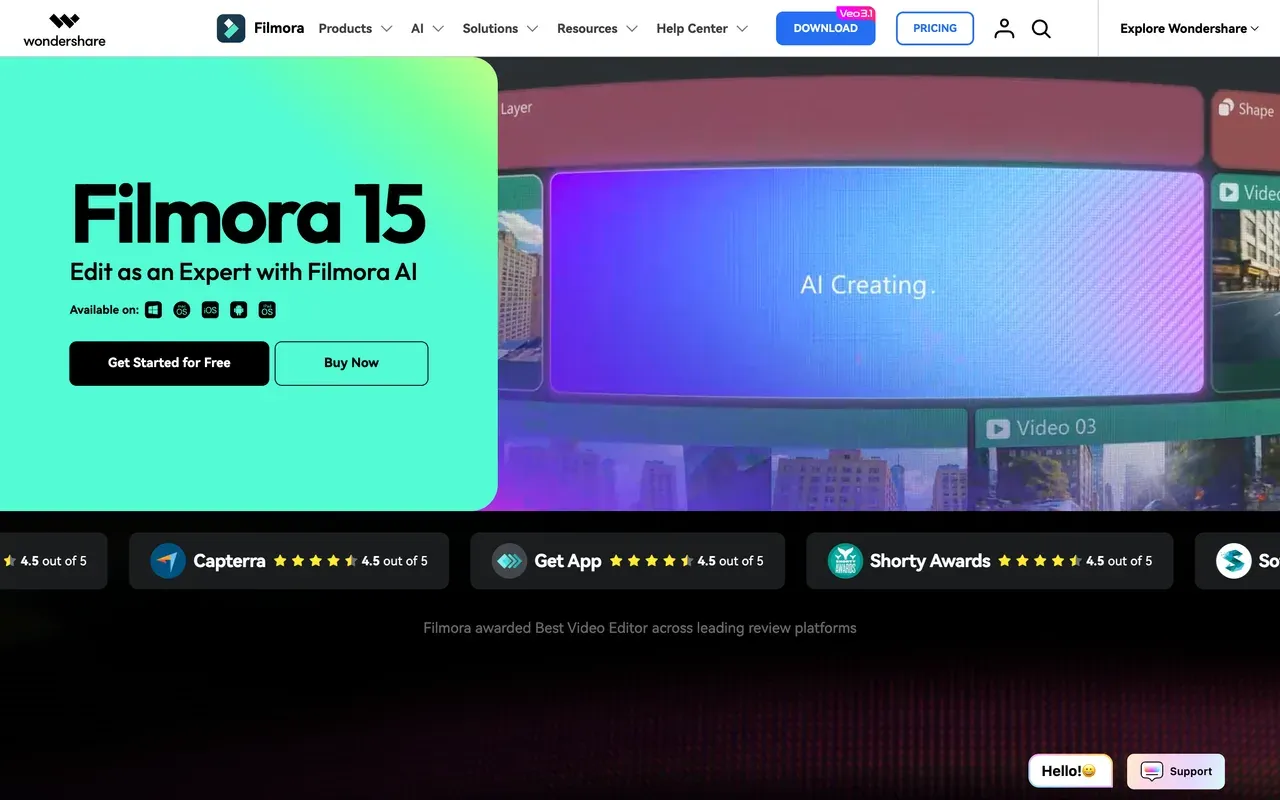
Searches like "CapCut alternative for PC" often really mean installed desktop software, and Filmora is the strongest budget option there. You get a full desktop timeline with keyframes, motion tracking, multi-cam and LUT color for $49.99/yr on the cross-platform Basic annual plan, or a perpetual license around $99.99 list. That undercuts CapCut Pro's $179.99/yr.
Read the fine print, though. The free version watermarks every export. The perpetual license only covers Filmora 15 updates on a single platform. And AI features are metered by credits even after you pay: Basic gets no monthly credits at all, and a single AI job on a 10-minute video can eat 200 to 300 credits. The pattern that annoys CapCut users, paying and then hitting meters, exists here too, just at a lower price.
- Pricing:
- From $49.99/yr; perpetual license about $99.99 (Windows or Mac, one platform)
- Free plan:
- Free version: full editor, but every export is watermarked
- Best for:
- Editors who want installed desktop software with real timeline depth on a budget
Pros
- Real desktop NLE: keyframes, motion tracking, multi-cam, color tools
- One of the last mainstream editors with a perpetual license
- Annual plan covers both Windows and Mac
- 30-day money-back guarantee
Cons
- Free trial watermarks all exports
- AI features cost credits on top of the paid license
- Perpetual license is version-locked to Filmora 15
- Creative asset library is a separate $9.99/mo subscription
- 5
Kapwing
kapwing.comPolished browser repurposing for teams, priced per seat
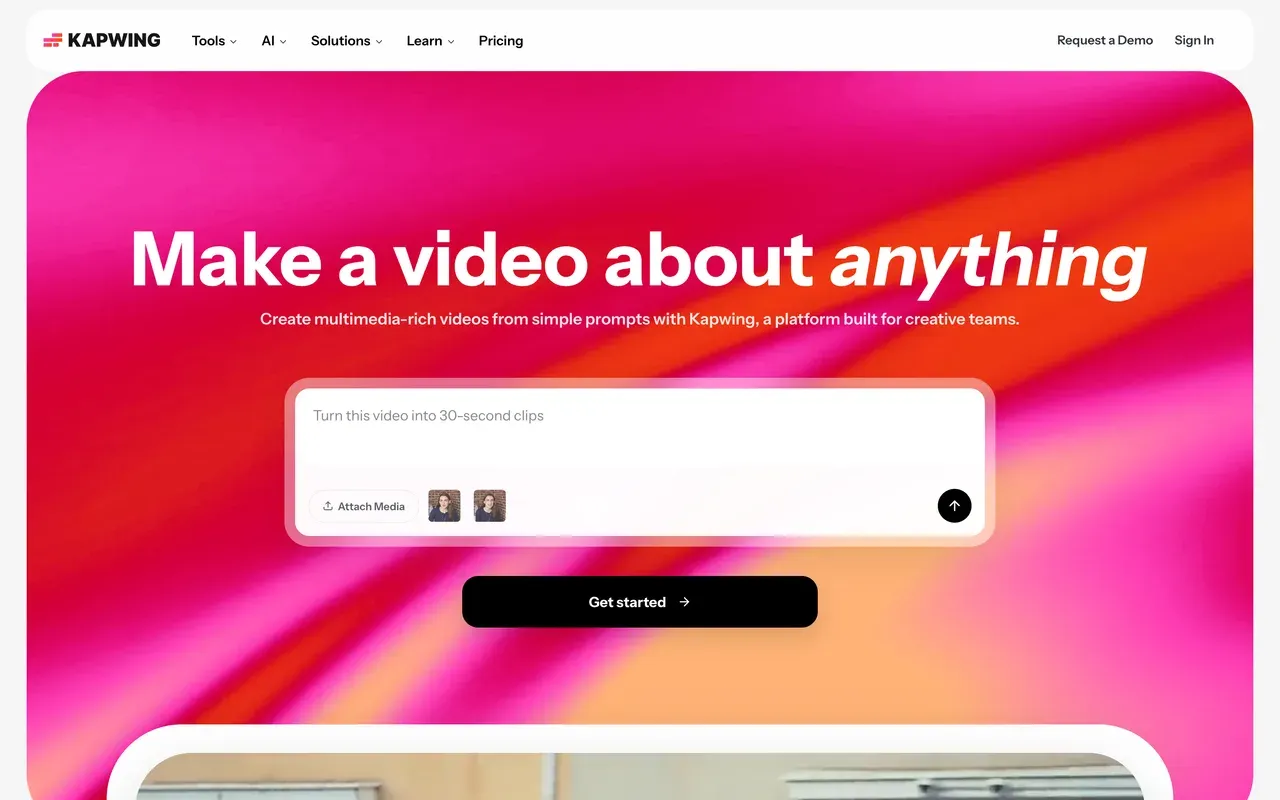
Kapwing does the CapCut-style short-form jobs, captions, resizing, smart cuts and B-roll, inside a collaborative browser workspace, and its subtitle accuracy and ease of use rate highly. The Kai AI assistant can generate and edit projects from prompts.
The free plan is stricter than CapCut's: exports cap at 1 minute at 720p with a watermark, and projects are deleted after 3 days. Paid starts at $16/mo per user billed annually ($24 monthly), with subtitles, dubbing and translation metered by monthly credits. Export failures on longer projects and a no-refund policy are the recurring complaints.
- Pricing:
- From $16/mo per user billed annually ($24 monthly)
- Free plan:
- Free: 1-minute watermarked 720p exports, projects stored only 3 days
- Best for:
- Marketing and social teams captioning and repurposing clips together in the browser
Pros
- Accurate auto subtitles with a clean browser workflow
- Team workspaces with in-browser review and commenting
- Kai AI assistant can build and edit projects from prompts
- Strong repurposing toolkit for social formats
Cons
- Free plan caps exports at 1 minute and deletes projects after 3 days
- Export failures and lag reported on longer projects
- No refunds after upgrading; per-seat pricing adds up
- 6
FlexClip
flexclip.comCheap template-first editing if your videos stay short
FlexClip is a lighter, cheaper path than CapCut Pro for template-driven marketing and social videos: 6,000+ templates, a 4M+ stock library and an AI suite with text-to-video generation, auto subtitles and TTS. Watermark-free 1080p starts at $11.99/mo billed annually, below CapCut Pro's price.
The limits sneak up on you. Free exports carry a mandatory FlexClip intro animation of about 3 to 4 seconds rather than a corner badge, which is worse for real use. The Plus plan still caps stock at 5 videos and 5 audio tracks per project, renders are slow on longer videos (a reviewer clocked about 15 minutes for a 7-minute video), and the timeline is shallow next to CapCut's keyframing.
- Pricing:
- From $11.99/mo billed annually ($19.99 monthly)
- Free plan:
- Free: 720p, 10-minute videos, forced FlexClip intro animation on exports
- Best for:
- Beginners making short template-based promos and social posts

Pros
- 6,000+ templates and a large built-in stock library
- Cheap entry price for watermark-free 1080p
- Easy for non-editors: pick a template, swap text and media
- AI text-to-video, subtitles and TTS included in small allowances
Cons
- Free exports carry a forced 3 to 4 second intro animation
- Stock caps persist on the paid Plus plan
- Slow renders on longer videos; shallow timeline control
- 1080p ceiling on Plus, no 4K until Business
- 7
Adobe Express
adobe.comDesign-first tool with quick video actions and no free watermark
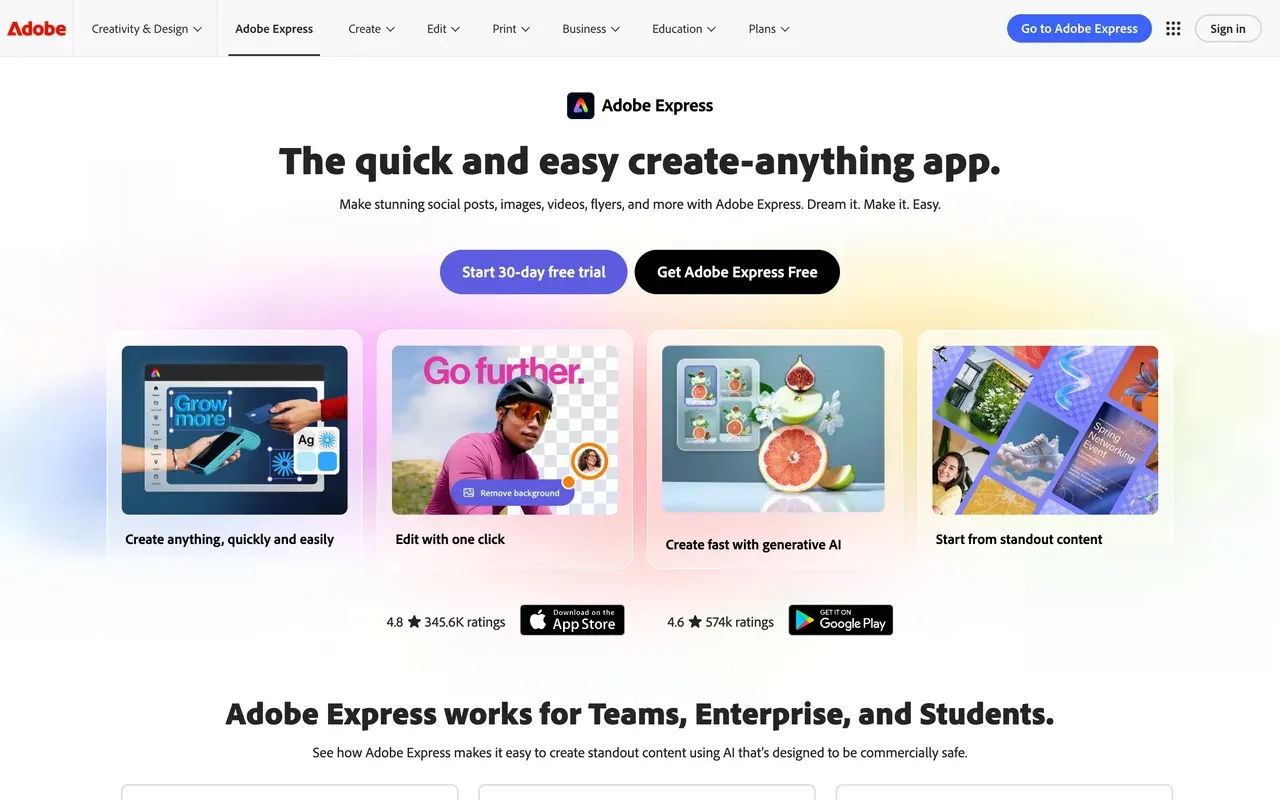
Adobe Express approaches from the design side: 268K+ templates, Adobe Stock photos and commercially-safe Firefly AI, with video features like caption, resize, trim and a Clip Maker bolted on. Free exports carry no watermark, and Premium is $9.99/mo with 4K export and 2-hour video length.
It is not a timeline editor, and that is the catch for CapCut refugees. Capterra reviewers call the customization "not very advanced", and Adobe's own forums carry recurring bug threads about video uploads failing and edits not loading. Treat it as a graphics tool that can caption a clip, not a replacement for CapCut's editor.
- Pricing:
- Free; Premium $9.99/mo ($99.99/yr)
- Free plan:
- Free: no watermark, videos up to 30 minutes, daily AI generations, premium templates locked
- Best for:
- Social media managers making branded graphics plus occasional quick clips
Pros
- No watermark on free exports
- Huge licensed template and Adobe Stock library
- Quick actions: caption, resize, trim, convert, background removal
- Cheap Premium with 4K and a content scheduler
Cons
- No serious multi-track timeline; weak keyframing
- Recurring video bugs reported on Adobe's own forums
- Best value only if you live in the Adobe ecosystem
- 8
Descript
descript.comEdit by transcript instead of timeline, metered by hours and credits
Descript replaces CapCut's timeline-first workflow with something different: you edit video by editing the transcript, which is dramatically faster for podcasts and talking-head content. Studio Sound, filler-word removal and a screen recorder round it out.
It is a poor fit for effects-heavy short-form, and the pricing runs on two meters at once: media hours plus AI credits, introduced in late 2025 to considerable user anger. Reviewers report a month's credits can vanish in a day of heavy AI use, and the rebuilt editor has drawn stability complaints on longer projects. Hobbyist starts at $16/mo billed annually.
- Pricing:
- From $16/mo per user billed annually ($24 monthly)
- Free plan:
- Free: 60 transcription minutes/mo, 720p export, watermark
- Best for:
- Podcasters and talking-head creators who edit by deleting words

Pros
- Category-defining text-based editing
- Excellent podcast workflow with Studio Sound and filler removal
- Transcription in 25 languages with industry-leading accuracy
- Screen and remote recording in the same tool
Cons
- Dual metering: media hours plus AI credits on every plan
- Stability complaints on long projects after the editor rebuild
- Weak fit for effects-driven vertical video
- 9
InVideo
invideo.ioPrompt-to-video generation, not editing, on a strict credit meter
InVideo has pivoted from template editor to an agentic AI generator: type a prompt and Agent Two scripts, voices and assembles a finished video, drawing on 200+ models including Sora 2 and Veo 3.1. That is a genuinely different capability from CapCut, and if you want AI to make the video for you, it is worth a look.
Go in with open eyes on billing. Credits are the only currency, failed generations still consume them, unused credits do not roll over, and InVideo reserves the right to change credit costs without notice. Prices are login-gated on the public pricing page; third-party trackers report Plus at about $20/mo annual. Trustpilot sits at 3.4 for the AI product and 2.1 for the legacy Studio.
- Pricing:
- Reported from about $20/mo billed annually; prices not shown publicly
- Free plan:
- Free: small credit allocation, weekly export cap, watermark on every export
- Best for:
- Prompt-first creators generating faceless videos rather than editing footage

Pros
- Agentic prompt-to-finished-video generation
- Access to 200+ AI models under one subscription
- Bundled iStock and Storyblocks assets on paid plans
Cons
- Credits burn on edits and even failed generations, with refunds refused
- Tier prices hidden until after signup
- No rollover; credit costs can change without notice
- Weak choice if you mainly edit your own footage
- 10
WeVideo
wevideo.comClassroom-focused cloud editor with harsh caps outside education
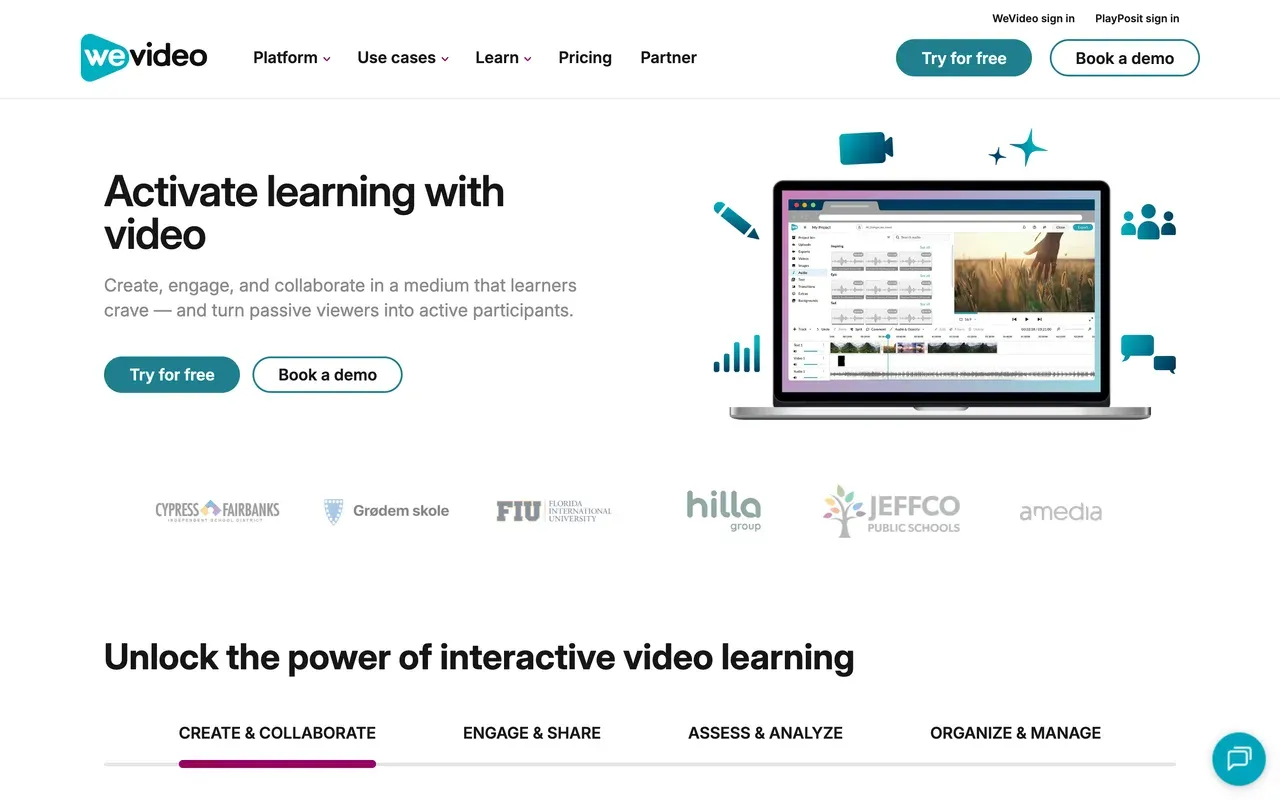
WeVideo predates CapCut as a cloud editor, but it has repositioned around education: interactive video quizzes from its PlayPosit acquisition, LMS integrations and student-privacy compliance. For a teacher running video assignments, it does things nothing else on this page does.
For a creator leaving CapCut, the math is rough. The free plan caps exports at 480p with 5 publish minutes a month, the $4.99/mo Power tier still caps at 720p, and Trustpilot sits at 2.9 with reports of surprise charges after trials. Solo creators are no longer the core audience, and it shows.
- Pricing:
- From $4.99/mo billed annually ($9.99 monthly); education from $89/yr
- Free plan:
- Free: 480p max, 5 publish minutes per month, watermark
- Best for:
- Schools and districts that need collaborative video with LMS integration
Pros
- Interactive video with quizzes and analytics for education
- Deep LMS integrations (Google Classroom, Canvas, Schoology)
- Real-time collaborative editing for group projects
Cons
- 480p free exports and 720p on the cheapest paid tier
- Laggy editor and export failures reported
- Trustpilot 2.9 with surprise-charge complaints
- Product focus has shifted away from solo creators
CapCut vs EchoWave at a glance
| Feature | EchoWave | CapCut |
|---|---|---|
| Free plan reality | Yes, free forever: full editor, videos up to 60 minutes | Core editing free, but many former free features now require Pro |
| Watermark on free exports | Small badge in the editor; quick tools export with no watermark | Yes, free exports now carry a CapCut watermark |
| Starting paid price | Basic $9/mo billed annually ($19 monthly) | Standard reported about $9.99/mo; Pro $19.99/mo or $179.99/yr |
| Prices published openly | Yes, on the public pricing page, with purchasing-power discounts | No public price list; varies by region, device and promotion |
| Max export resolution | Up to 4K on Pro, 8K on Business | About 1080p on free; 4K requires Pro |
| Auto captions | Free, 50+ languages, 170+ presets, no monthly minute cap | Moved behind the Pro paywall through 2025 |
| Music visualizer and audiograms | Yes, core tools with scrub-accurate previews | Not a built-in focus |
| Trend templates | No public template gallery; your own projects become reusable templates | Massive TikTok-synced library, a real strength |
| Platforms | Any browser, plus Mac, Windows and Linux desktop apps | Mobile apps, desktop apps and a web editor |
| Account required to start | No, start editing without signing up | Sign-in required for most features |
| Privacy and AI training | Files processed for your session, not used to train AI models | US operations under the TikTok USDS joint venture since January 2026 |
Apps like CapCut for PC and Mac
Most "CapCut for PC" searches want one of two things. If you want installed desktop software, Filmora is the pick: a real Windows and Mac NLE from $49.99/yr with keyframes and motion tracking, plus a one-time license option. If you want zero installs, EchoWave runs the full editor in any browser on Windows, Mac, Linux and Chromebooks, with desktop apps available too, and you can start without an account. Clipchamp is already on your machine if you run Windows 11, though Mac users only get its web app.
Apps like CapCut but free
Be careful with "free" here, because free tiers differ wildly. Clipchamp gives genuinely watermark-free 1080p exports at no cost, the best free watermark policy on this page. EchoWave free goes further on scope: 60-minute videos, unmetered auto subtitles and quick tools that export clean, with the small badge only on full-editor exports. Filmora's free version watermarks everything, so treat it as a trial, not a free plan.
Apps cheaper than CapCut
CapCut Pro runs $19.99/mo or $179.99/yr, and its prices are not even published on its own site. Under that bar: EchoWave Basic at $9/mo billed annually removes the watermark at 1080p, and Pro at $17/mo annually adds 4K, still less than CapCut Pro. FlexClip Plus at $11.99/mo annual is cheap for template work, and Filmora works out around $4.17/mo on its annual Basic plan if you skip the AI credits. Watch monthly-versus-annual gaps everywhere: most tools here charge nearly double month-to-month.
CapCut alternative without a watermark
CapCut added a watermark to free exports, which is why this search exploded. Clipchamp is the only tool here with fully watermark-free free exports at 1080p. EchoWave exports with no watermark from its quick tools (trim, crop, compress, convert) on the free plan, and removes the editor badge on Basic at $9/mo annual. Adobe Express free exports are also unwatermarked, but it is a design tool first, not a timeline editor.
How to switch from CapCut to EchoWave
No install, no account, about a minute from upload to first cut.
-
1. Upload your video
Open the online video editor in any browser, on any machine, and drag in your clips or finished CapCut exports. There is no signup wall and nothing to download.

-
2. Edit and caption
Trim on the multi-track timeline, then add auto subtitles with karaoke presets, an AI voiceover, or a music visualizer. Captions are free with no monthly meter.
-
3. Export and download
Render straight from the browser. Quick tools like the video compressor export with no watermark free; Basic unlocks clean 1080p editor exports and Pro adds 4K.

Why people choose EchoWave

About the EchoWave team
EchoWave is a browser-based video and audio editor built by Lemon Vault LLC since 2018. The people who build the editor write these guides and test every step in the production app before publishing.
CapCut alternative FAQ
What is the best free CapCut alternative?
It depends on which free limit hurts you. For watermark-free exports, Clipchamp is unbeatable: free 1080p with no watermark. For scope, EchoWave's free plan edits videos up to 60 minutes with unmetered auto subtitles, and its quick tools export with no watermark; full-editor exports carry a small badge at 720p. CapCut's own free tier now watermarks exports and has moved auto captions behind Pro, which is why both alternatives beat it for free use.
What is cheaper than CapCut?
CapCut Pro is $19.99/mo or $179.99/yr per reported US pricing (CapCut publishes no price list). Cheaper: EchoWave Basic at $9/mo billed annually (watermark removed, 1080p), EchoWave Pro at $17/mo annually with 4K, FlexClip Plus at $11.99/mo annually, and Filmora Basic at $49.99/yr for desktop software. Even CapCut's Standard tier at a reported $9.99/mo is monthly-billed only and stays capped at 1080p.
Why did CapCut add a watermark to free exports?
CapCut restructured its monetization through 2025 and early 2026. Free exports gained a watermark, formerly free features like auto captions moved behind Pro, and the old $9.99 Pro tier was renamed Standard while a new $19.99 Pro appeared. CapCut has not published a stated reason, but the effect is clear: the free tier became a funnel to Pro. If you want free exports without a watermark, Clipchamp offers that at 1080p, and EchoWave's quick tools export clean on the free plan.
CapCut vs EchoWave: which should I pick?
Pick CapCut if you chase TikTok trends: its 870K+ template ecosystem, trend effects and TikTok export integration are unmatched, and its keyframe and effects depth is strong. Pick EchoWave if you caption everything and want predictable costs: subtitles are free with no monthly cap and 170+ presets, the free plan handles 60-minute videos, quick tools export watermark-free, and paid plans are published openly from $9/mo annual, cheaper in many countries.
What is a good CapCut alternative for PC?
For installed software, Filmora: a full Windows and Mac editor from $49.99/yr with keyframes, motion tracking and a perpetual-license option around $99.99. For no installs at all, EchoWave runs its complete editor in any browser, which covers Windows, Mac, Linux and even locked-down work machines, and it also ships desktop apps for all three platforms. Windows 11 users already have Clipchamp preinstalled with free watermark-free 1080p.
Is there a CapCut alternative for iPhone and Android?
EchoWave works in mobile browsers, so you can edit on iPhone or Android without installing an app, though a desktop browser gives more room to work. Among installed mobile apps, CapCut remains the strongest mobile-first editor, which is worth saying plainly. If your complaint is price or the watermark rather than the app itself, browser-based editing on your phone is the cheapest way out.
How much does CapCut cost in 2026?
CapCut does not publish prices; its help page says cost varies by region, device and promotion. Consistently reported US figures: Standard about $9.99/mo (monthly billing only, 1080p), Pro $19.99/mo or $179.99/yr (about $15/mo) with 4K and the full AI toolkit, and a custom-priced Team plan. App-store purchases cost more than subscribing via the web. Annual subscribers were rolled onto the new higher rate around February 2026.
Is Filmora cheaper than CapCut?
For the software itself, yes. Filmora Basic is $49.99/yr versus CapCut Pro at $179.99/yr, and Filmora sells a perpetual license around $99.99 list. The catch: Filmora Basic includes no monthly AI credits, so every AI feature is pay-per-use, and a single AI job on a 10-minute video can consume 200 to 300 credits. If you use AI tools heavily, the gap narrows. For plain timeline editing, Filmora is clearly cheaper.
Can I use a CapCut alternative on a school or work computer?
Yes, that is where browser editors shine. EchoWave runs entirely in Chrome, Safari or Edge with no install and no account needed to start, so it works on managed Chromebooks and locked-down office machines where CapCut's desktop app is blocked. Clipchamp also runs in the browser, though it is officially supported only in Chrome and Edge. Filmora and other installed editors will not be an option on machines you cannot install software on.
Does switching away from CapCut lose my projects?
Project files do not transfer between editors; that is true across this whole category. Export finished videos from CapCut while you have access, then re-edit or repurpose the exports in your new tool. In EchoWave you can rebuild a format once and save your own project as a reusable template with placeholders, which replaces the template-library habit for repeatable formats like captioned clips or waveform videos.
The honest verdict
Ready to leave the paywall creep behind? Free plan, no account needed
Start editing in your browser in seconds. No credit card required.
Get Started →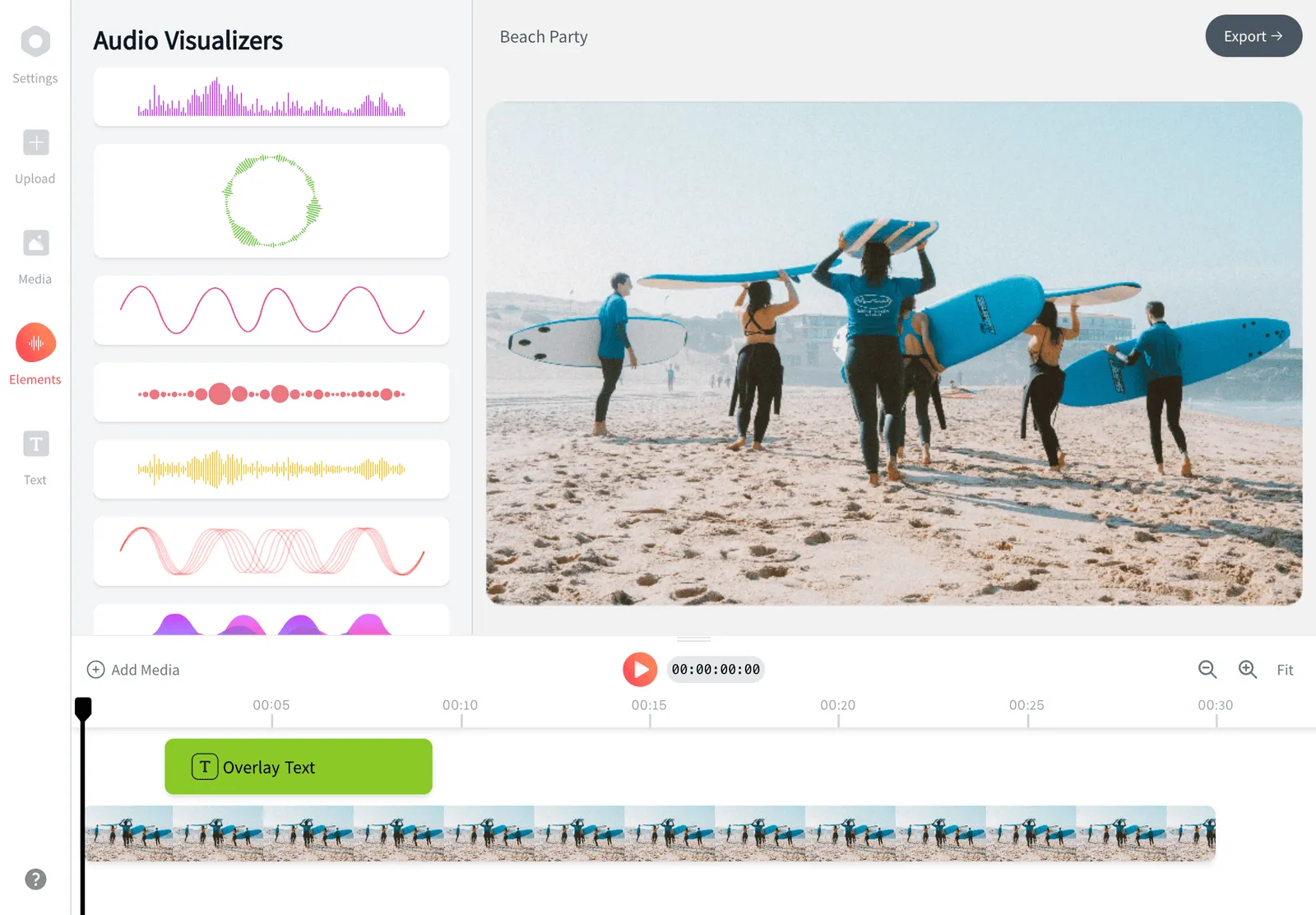
How we checked
Sources used for the claims on this page:
- How much does CapCut Pro cost (capcut.com), CapCut Help
- CapCut pricing guide (socialrails.com), SocialRails
- CapCut features locked behind paywall (vediting.home.blog), vediting
- VEED pricing (veed.io), VEED
- Clipchamp pricing (clipchamp.com), Clipchamp
- What Clipchamp products are there and what's their cost (support.microsoft.com), Microsoft Support
- Filmora plans (filmora.wondershare.com), Wondershare
- Kapwing pricing (kapwing.com), Kapwing
- FlexClip pricing (flexclip.com), FlexClip
- Adobe Express pricing (adobe.com), Adobe
- Descript pricing (descript.com), Descript
- How do InVideo credits work (invideo.io), InVideo Help
- WeVideo pricing (wevideo.com), WeVideo
Every competitor claim on this page was re-verified against the sources above on August 3, 2026.
Pricing and limits change often. If anything here is out of date, email hello@echowave.io with a link and we'll correct it. Our editorial policy explains how we test and update comparisons.
Trademark and comparison notice. CapCut and all related names, logos, product names and trademarks are the property of their respective owners. EchoWave is an independent product and is not affiliated with, associated with, authorised by, endorsed by, sponsored by, or in any way officially connected to CapCut or its owners. Any third-party names, logos and trademarks are used here only to identify and compare the products honestly (nominative fair use) and do not imply any endorsement, partnership or affiliation.
This comparison reflects EchoWave's own opinion and our understanding of publicly available information believed accurate at the time of writing. Third-party features, pricing and availability change frequently and can vary by region, so figures may be out of date; please confirm the current details on CapCut's official website before making a decision. EchoWave makes no representation or warranty as to the accuracy or completeness of any third-party information shown here. If you believe anything on this page is inaccurate or out of date, please contact us and we will review it promptly.