
The 10 Best InVideo Alternatives in 2026
EchoWave is our top InVideo alternative: a full browser video editor with no credit meter on everyday editing, captions, or exports, and a free plan you can actually publish from. Below are 10 honest picks, including free options and tools cheaper than InVideo, with clear notes on what each one does better and worse.



The 10 Best InVideo Alternatives in 2026 Features
Trusted by thousands of creators worldwide





Why people look for an InVideo alternative
InVideo went all-in on AI generation, and the billing model followed. Credits are now the only currency: video generation, edits, and premium models like Sora 2 and Veo 3.1 all draw from one pool, and InVideo's own help center says unused credits reset every billing anniversary, top-ups expire with the cycle, and credit costs can change at any time without prior notice. Users report that edit passes and even failed generations consume credits, one review measured around 300 credits to get a 3-minute video through its edit cycle, and refunds for unusable AI output are routinely refused. The ratings reflect it: ai.invideo.io sits at 3.4 on Trustpilot with a 23 percent 1-star share, and the legacy Studio product is at 2.1. On top of that, the pricing page does not display tier prices until you sign up.
How we picked: we tested each tool in the browser and re-checked every pricing page in August 2026. Where a vendor hides prices or varies them by region, we say so instead of pretending to know. Every pick below beats InVideo at something specific, and we state what each does worse.
TL;DR: EchoWave is the best overall alternative for creators who edit real footage and want captions, audio tools, and exports without a credit meter; Pictory if you mainly turn scripts and blog posts into stock-footage videos; Renderforest if you want the cheapest template renders with some frontier-model access on top.
The best InVideo alternatives in 2026, ranked
Every pick tested in the browser. Prices checked August 2026.
- 1
EchoWave
Our pickBest overall for creators who edit real footage and never want a credit meter
Switching from InVideo to EchoWave swaps credit anxiety for a flat toolbox. The free plan is a real multi-track online video editor with 90+ tools and videos up to 60 minutes, auto-subtitles in 50+ languages with 170+ caption presets via the caption generator, and an AI voiceover studio built on text-to-speech and voice cloning. None of it draws down a credit balance, and there is no account wall before the timeline loads.
You also gain things InVideo does not advertise at all: music visualizers, waveform videos, audiograms, and 150+ file converters. Paid plans start at $9/mo billed annually and cost less in many countries through purchasing-power pricing. The honest caveat: EchoWave does not generate videos from a text prompt. If Sora 2 or Veo 3.1 output is the whole point for you, InVideo genuinely does that and EchoWave does not.
- Pricing:
- Free plan; paid from $9/mo billed annually
- Free plan:
- Free forever: full editor, 720p exports with a small badge; quick tools export with no watermark
- Best for:
- Creators and small teams editing real footage, podcasts, and audio-first clips without metered credits

Pros
- No credit system for everyday editing, captions, or exports
- Start editing with no account and nothing to install
- Auto-subtitles in 50+ languages, 170+ presets, karaoke word-level styles
- Music visualizer, waveform, and audiogram tools InVideo does not offer
- Purchasing-power pricing makes paid plans cheaper in many countries
- Templates from your own projects, bulk CSV rendering, and a REST API
Cons
- No text-to-video generation and no AI avatars
- Free full-editor exports cap at 720p with a small badge
- No public stock-template gallery to browse
- 2
Pictory
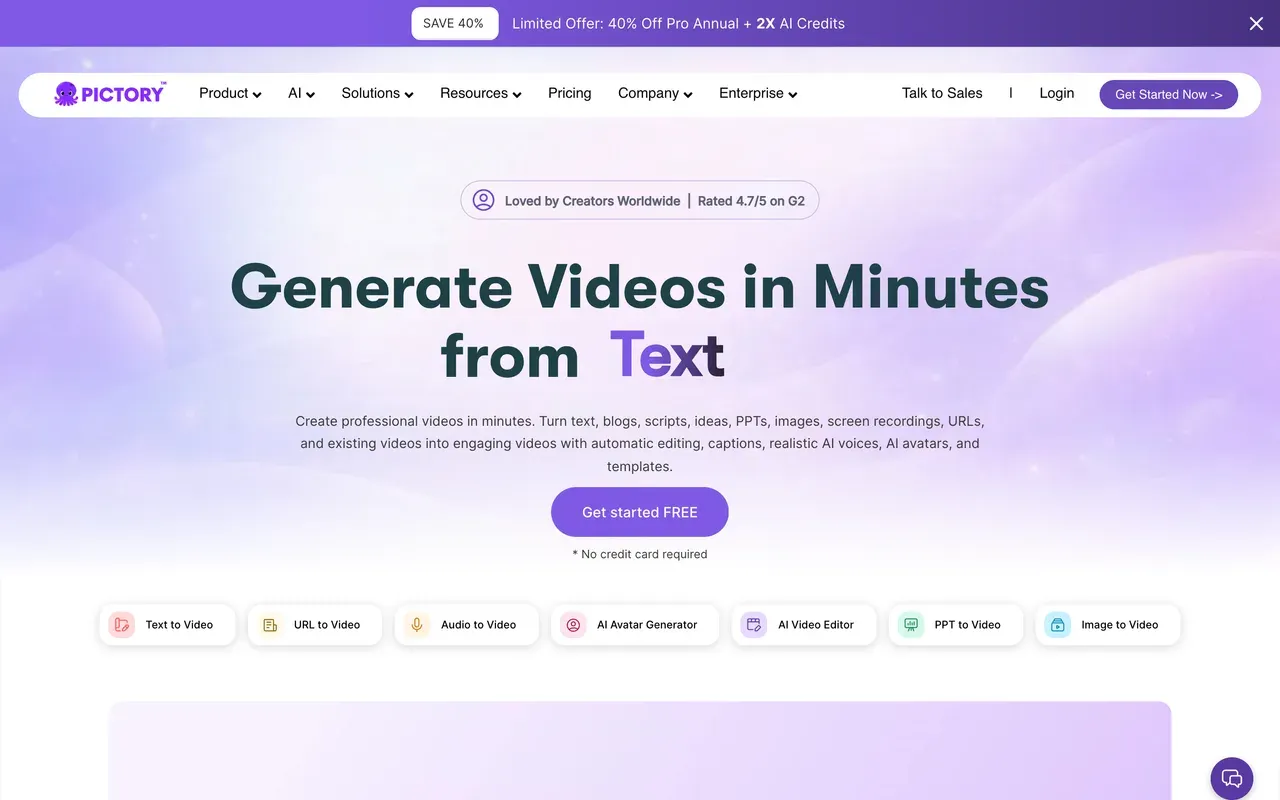
pictory.aiClosest like-for-like: script and blog-post to stock-footage video
Pictory does the job most people actually hired InVideo for: paste a script, blog URL, PDF, or audio file and get a stock-matched video with captions. Its metering is annual pools rather than InVideo's use-it-or-lose-it monthly credits: Starter includes 2,400 video minutes per year, which is easier to plan around than credits that reset every cycle.
The trade-offs are real. There is no permanent free plan, the 14-day trial watermarks everything and caps you at 3 projects with failed exports counting against the limit, and reviewers report context-blind stock matching that forces manual scene replacement.
- Pricing:
- From $25/mo billed annually (Starter); $29 monthly. No free plan
- Free plan:
- None; 14-day trial capped at 3 watermarked projects, about 15 minutes of video total
- Best for:
- Marketers and course creators bulk-converting text into stock-footage social videos
Pros
- Turns scripts, blog URLs, PDFs, and audio into finished stock videos
- 2,400 video minutes per year on Starter, simpler than weekly credit caps
- Custom AI avatars and voice cloning on the Professional tier
- API for programmatic video generation
Cons
- No permanent free plan, and trial exports carry a watermark
- AI picks irrelevant stock often enough to force manual fixes
- Still fully metered: annual video minutes plus AI credits
- 3
Lumen5
lumen5.comBlog-to-video for marketing teams that care about brand control
Lumen5 is the brand-governance version of the InVideo pitch: feed it a blog post or script and it builds a first cut you refine with brand kits, blueprint templates, and 1,000+ AI voices. Unlike InVideo's login-gated credit tiers, its plans are published plainly and Basic gives unlimited videos with no Lumen5 branding from $19/mo billed annually.
The ceiling is resolution and metering: 1080p only unlocks at the $59 to $79 Starter tier, there is no 4K anywhere, and AI voice and animation minutes are capped even on paid plans. Trustpilot complaints include a user who says they were charged for two years after cancelling.
- Pricing:
- From $19/mo billed annually (Basic); $29 monthly
- Free plan:
- 5 videos/month, 2-minute cap, Lumen5-branded outro
- Best for:
- Marketing teams turning posts and scripts into branded social videos at modest volume

Pros
- Strong blog-post-to-video first cut for repurposing
- 1,000+ AI voices plus voice cloning on higher tiers
- Brand kits, custom templates, and team approval workflows
- 50M+ licensed stock assets from the Starter tier
Cons
- No 4K on any tier; 1080p starts at $59 to $79/mo Starter
- AI voice and animation minutes are metered even when you pay
- Billing and cancellation complaints on Trustpilot
- 4
VEED
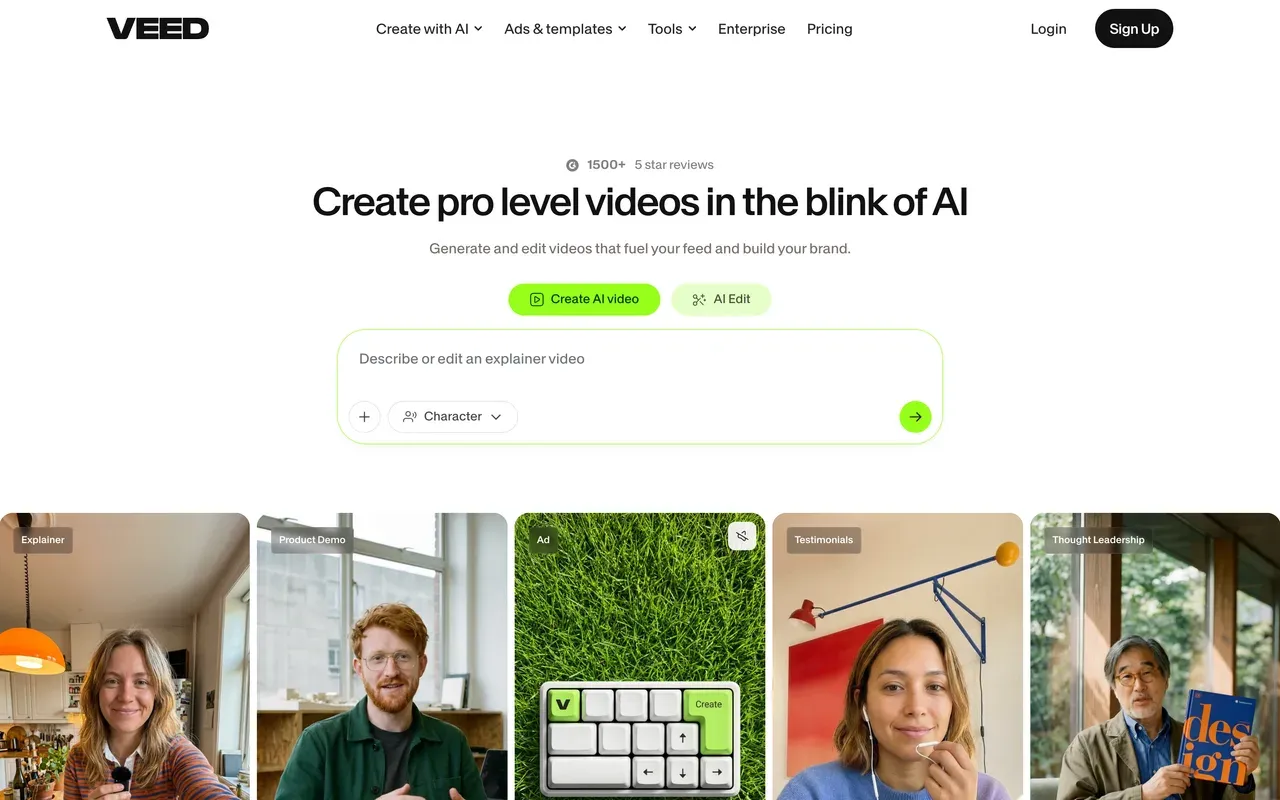
veed.ioThe broadest all-in-one suite, including its own multi-model Gen-AI studio
VEED is the one tool here that can genuinely replace InVideo's generation side as well as its editing side: its Gen-AI Studio aggregates 25+ text-to-video models, and the suite adds a proper editor, auto-subtitles, a recorder, avatars, and TTS. If your team wants one browser tab for everything, this is it.
It shares InVideo's core problem, though: everything AI is metered by a yearly credit allowance, plans are per user, and monthly billing runs roughly double the annual rate (Creator is $10/mo billed annually but $20 month-to-month). Billing and auto-renewal disputes dominate its negative Trustpilot reviews.
- Pricing:
- From $10/mo per user billed annually ($116/yr); $20 monthly
- Free plan:
- 720p, 10-minute export cap, 2GB storage, watermark
- Best for:
- Marketing and social teams that want editing plus AI generation under one per-seat subscription
Pros
- Editor, subtitles, recorder, avatars, and TTS in one suite
- Gen-AI Studio aggregates 25+ text-to-video models
- Strong subtitle and translation workflow (50+ languages on Pro)
Cons
- Every AI feature draws from a yearly credit allowance
- Per-user pricing, and monthly billing is roughly twice the annual rate
- Free tier is demo-grade: watermark, 720p, 10-minute cap
- 5
FlexClip
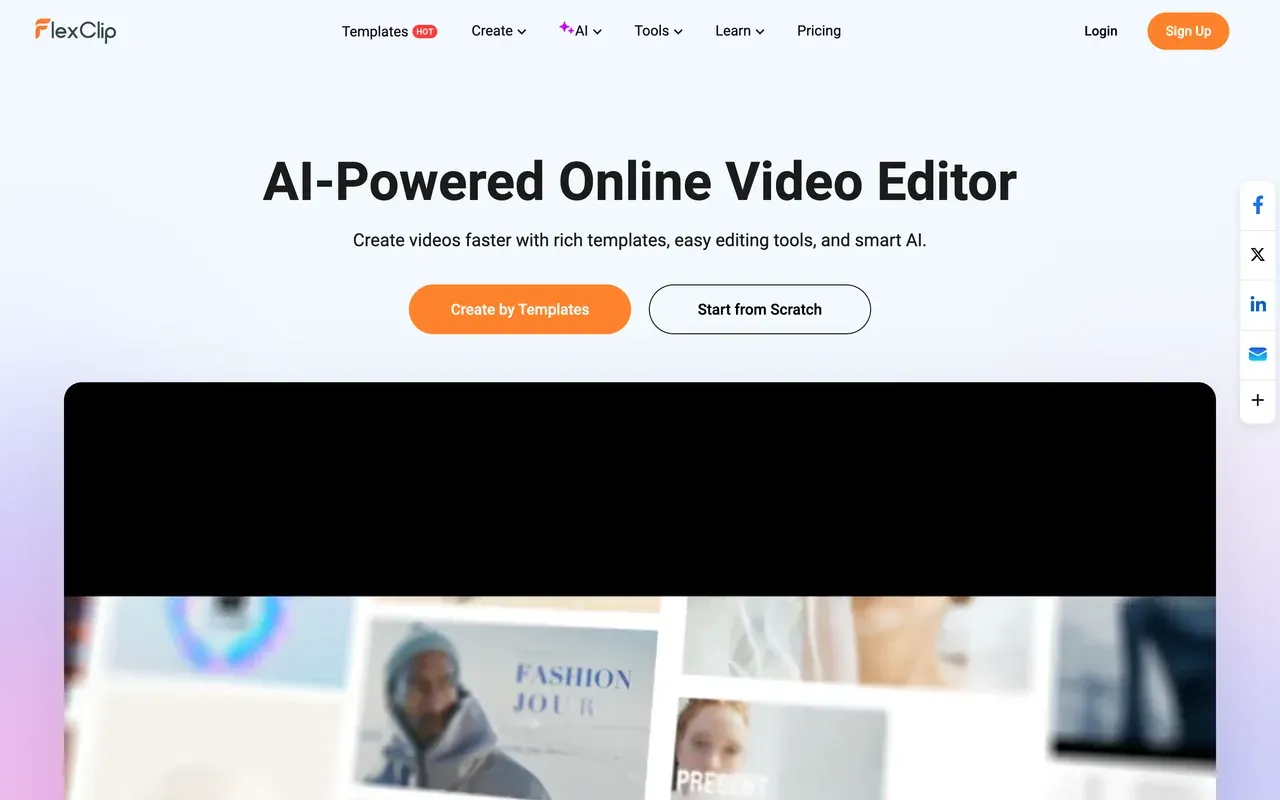
flexclip.comCheapest serious template editor, with honest small print
FlexClip undercuts InVideo's reported entry price by nearly half: watermark-free 1080p with unlimited video length costs $11.99/mo billed annually, and you get 6,000+ templates plus 4M+ stock items to build from. Its AI extras (text-to-video, auto-subtitles, TTS) exist but run on small annualized credit packs, so treat them as a bonus rather than the product.
Know the catches before switching: free exports carry a mandatory 3 to 4 second FlexClip intro animation, renders are slow on longer videos (one test clocked about 15 minutes for a 7-minute video), and the Plus tier still caps stock at 5 videos and audios per project.
- Pricing:
- From $11.99/mo billed annually (Plus); $19.99 monthly
- Free plan:
- 720p, 10-minute videos, 12 projects, mandatory FlexClip intro animation on exports
- Best for:
- Beginners and small businesses making short template-based marketing videos on a budget
Pros
- 6,000+ templates and 4M+ stock media items
- Watermark-free 1080p from $11.99/mo billed annually
- Genuinely easy for people who have never edited video
- AI text-to-video, auto-subtitles, and TTS included in small allowances
Cons
- Free exports carry a forced intro animation instead of a corner badge
- Slow renders on anything beyond short clips
- Stock and AI-credit caps persist on the paid Plus tier
- 6
Renderforest
renderforest.comBudget template renders with Sora 2 and Veo 3.1 access on credits
Renderforest is the cheapest way to keep some of InVideo's frontier-model access: its credit system covers Sora 2, Veo 3.1, and Kling 3.0, layered on 1,200+ video templates plus a logo maker and website builder, from $8/mo billed annually. There is even a pay-per-export option at $24 for a single watermark-free HD1080 render if you only need one video.
Read the pricing footnotes carefully. Pro's $12/mo annual rate is a first-year teaser that renews at $24/mo, Business jumps from $34.30 to $49, the Lite tier allows only 60 watermark-free exports, and Trustpilot reviewers report surprise annual charges under a strict no-refund policy.
- Pricing:
- From $8/mo billed annually (Lite); $9 monthly. Pro renews at $24/mo after the first discounted year
- Free plan:
- 360p exports with watermark and roughly a 3-minute video cap (reported)
- Best for:
- Small businesses making cheap template-based promos, intros, and visualizer videos

Pros
- Sora 2, Veo 3.1, and Kling 3.0 access via credits at budget prices
- 1,200+ video templates plus logo, mockup, and website tools
- Pay-per-export option: $24 for one watermark-free HD1080 render
Cons
- First-year teaser pricing jumps sharply at renewal
- Lite tier caps you at 60 watermark-free exports
- Strict no-refund policy and surprise-charge complaints on Trustpilot
- 7
Biteable
biteable.comTemplate explainers with AI avatars for HR and internal comms
Biteable aims at a narrower audience than InVideo: workplace teams making announcement and training videos. Its AVA AI turns a prompt or URL into an editable storyboard, and it ships life-like and custom photo avatars plus AI voiceovers in 50+ languages, with 500+ templates tuned for HR and internal comms.
Approach with eyes open: there is no free plan, the 7-day trial does not let you download a finished video to judge quality, Pro caps videos at 10 minutes and 1080p, and its Trustpilot rating has slid to 2.3 amid repeated price increases and silent auto-renewal complaints.
- Pricing:
- From $15/mo billed annually (Pro); $29 monthly. No free plan
- Free plan:
- None; 7-day trial with watermarked previews you cannot download
- Best for:
- HR, L&D, and internal-comms teams making short templated explainer videos

Pros
- AVA AI builds an editable storyboard from a prompt or URL
- AI avatars, including custom avatars from an uploaded photo
- 500+ templates aimed at workplace video
Cons
- Trustpilot at 2.3 after price hikes and auto-renewal complaints
- Pro caps videos at 10 minutes and 1080p
- Trial will not let you download a finished video before paying
- 8
Animoto
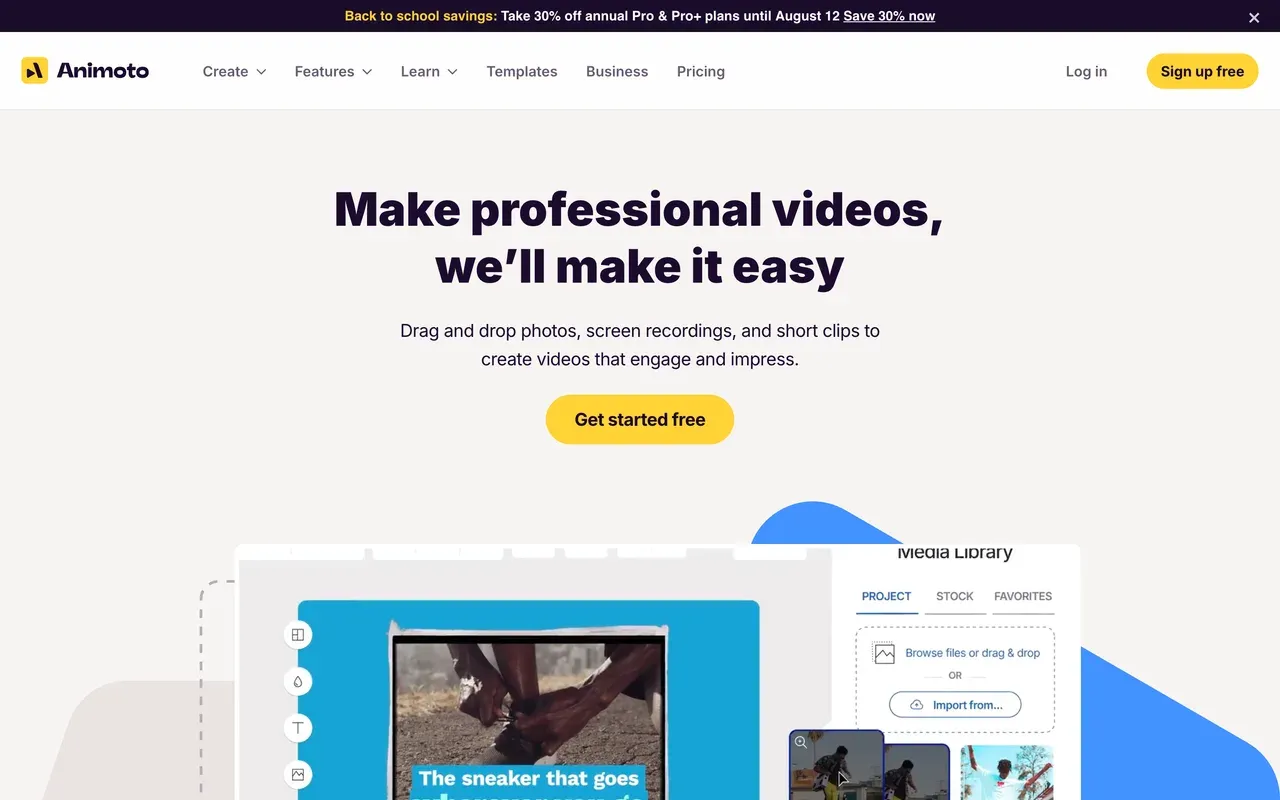
animoto.comFastest photos-to-video workflow with Getty stock and licensed music
Animoto is the anti-InVideo: almost no AI, no credits, just the quickest template slideshow workflow around with unusually good licensing. Professional bundles 1M+ Getty stock assets and around 3,000 licensed music tracks, which keeps social uploads copyright-safe, and 4K export was recently added. Watermark-free 1080p starts at $9/mo billed annually, under half of InVideo's reported entry price.
The limits are creative, not financial: templates are rigid, there are no keyframes or custom transitions, and reviewers call the interface dated next to 2026 AI-first editors. Month-to-month billing runs about double the annual rate.
- Pricing:
- From $9/mo billed annually (Basic); $19 monthly
- Free plan:
- Unlimited 720p videos with watermark, 50 licensed music tracks
- Best for:
- Non-editors who want quick slideshows with safe stock and music licensing
Pros
- Getty Images stock included (1M+ assets on Professional)
- About 3,000 licensed music tracks keep uploads copyright-safe
- Watermark-free 1080p from $9/mo billed annually
- Screen and webcam recording included, even on the free plan
Cons
- Rigid templates: no keyframes, no custom transitions
- Minimal modern AI compared with InVideo
- Monthly billing costs roughly double the annual rate
- 9
Kapwing
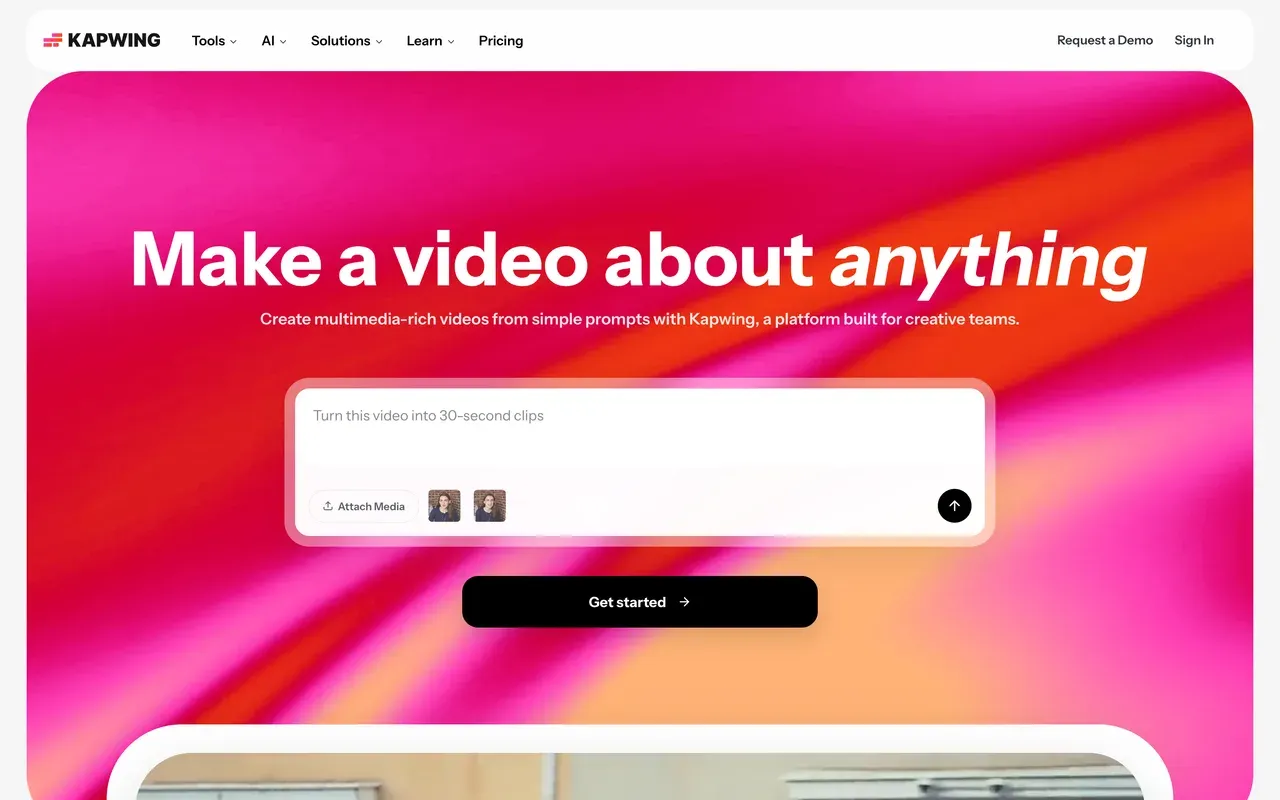
kapwing.comTeam-first browser editor with strong subtitles and repurposing
Kapwing suits teams leaving InVideo who still want AI help but anchored to real footage: its Kai assistant generates and edits projects from prompts, auto-subtitles and translation are highly rated, and workspaces are built for collaborative social video. Pro at $16 per member/mo billed annually includes 1,000 subtitle minutes and exports up to 120 minutes.
Its weak spots are reliability and rigidity: failed exports and lag on longer projects are the most consistent complaint, the free plan caps exports at 1 minute and deletes projects after 3 days, and the no-refund policy has generated billing disputes.
- Pricing:
- From $16/mo per user billed annually (Pro, $192/yr); $24 monthly
- Free plan:
- 1-minute watermarked 720p exports; projects deleted after 3 days
- Best for:
- Social and marketing teams subtitling and repurposing clips together in the browser
Pros
- Accurate auto-subtitles and translation in a clean workflow
- Team workspaces with in-browser review and commenting
- Kai AI assistant can generate and directly edit projects
Cons
- Export failures and lag on longer projects are the top complaint
- Free plan is demo-only: 1-minute cap, 3-day project retention
- No-refund policy and per-member pricing that adds up
- 10
CapCut
capcut.comThe short-form trend machine, if you accept the watermark or pay
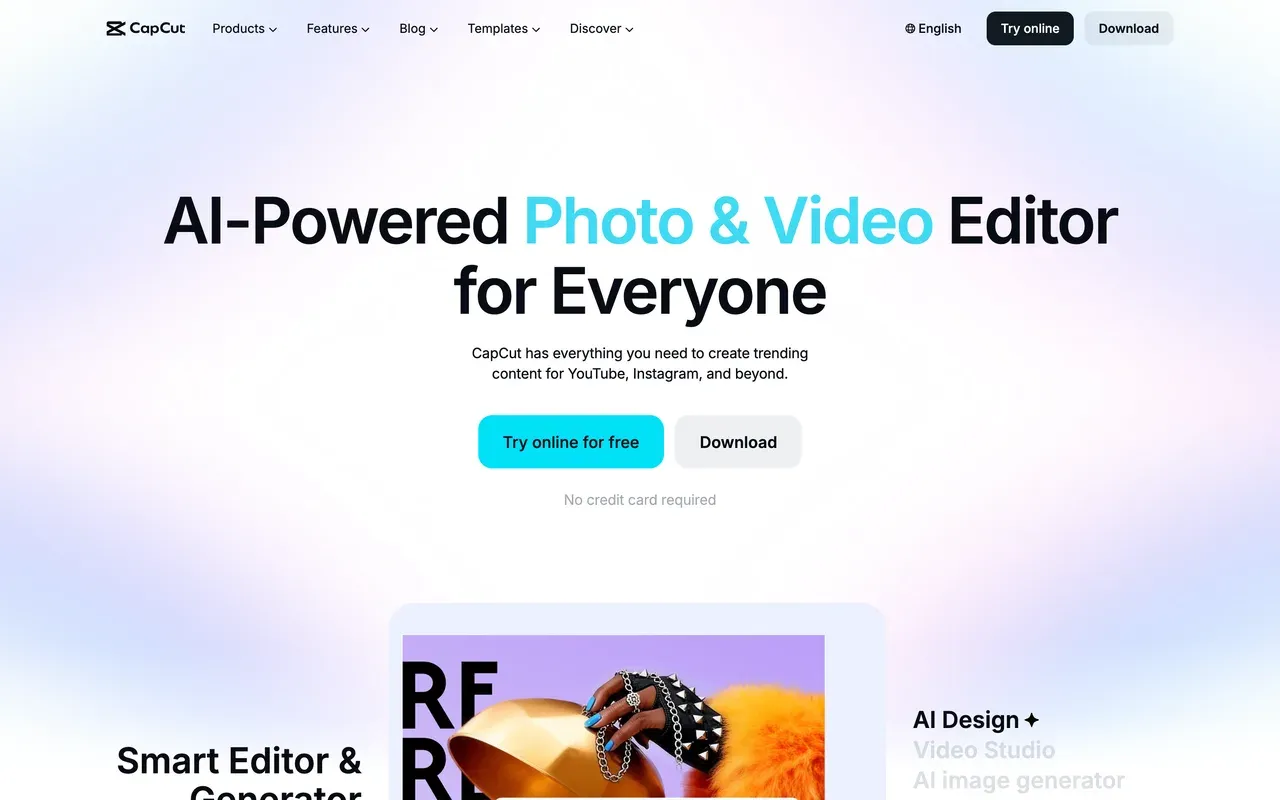
CapCut is where InVideo leavers go when they realize they want to edit trends, not generate footage: 870K+ templates, trend effects, auto-captions, and a genuinely deep free editor with multi-track timeline, keyframes, and chroma key across mobile, desktop, and web.
Its direction of travel is the concern. Through 2025 CapCut added a watermark to free exports and moved formerly free features like auto captions behind Pro, prices roughly doubled in the late-2025 restructure, and there is no public price list: cost varies by region, device, and promotion, with app-store billing costing more than web.
- Pricing:
- About $9.99/mo (Standard) or $19.99/mo (Pro), third-party reported; CapCut publishes no price list
- Free plan:
- Core editing free; exports watermarked and capped around 1080p, many features moved to Pro
- Best for:
- Short-form creators chasing TikTok and Reels trends with templates
Pros
- 870K+ templates and trend effects tuned for vertical video
- Deep free editor: multi-track timeline, keyframes, chroma key
- Cross-device projects across mobile, desktop, and web
Cons
- Formerly free features (auto captions, filters, fonts) now sit behind Pro
- Watermark on free exports since the 2025 changes
- Opaque pricing that varies by region, device, and promo
InVideo vs EchoWave at a glance
| Feature | EchoWave | InVideo |
|---|---|---|
| Free plan reality | Free forever: full editor with 90+ tools, videos up to 60 minutes | Free plan with a small credit allocation and a weekly export cap |
| Watermark | Quick tools (trim, crop, compress, convert) export with no watermark; small badge on free editor exports | Visible InVideo watermark on every free export |
| Starting price | Basic $19/mo, or $9/mo billed annually | Plus about $20 to $25/mo (third-party reported; prices hidden until you sign up) |
| Credit system | None for everyday editing, captions, or exports | Credits are the sole currency: no rollover, expiring top-ups, and costs can change without notice |
| Text-to-video generation | No, EchoWave is an editor, not a generator | Yes, 200+ models including Sora 2 and Veo 3.1, billed against credits at API rates |
| Subtitles and captions | Auto-transcribe in 50+ languages, 170+ presets, karaoke styles, translation to 80+ languages | Generated as part of the AI video pass |
| Audio and visualizer tools | Music visualizer, waveform videos, audiograms, podcast-to-video | None advertised |
| Max export resolution | 720p free, 1080p on Basic, 4K on Pro, 8K on Business | 4K on Max and above (reported) |
| Public pricing | Yes, all plans listed openly on the pricing page | No, the pricing page is login-gated; dollar figures come from third-party trackers |
| Platforms | Any modern browser, plus Mac, Windows, and Linux desktop apps | Web (ai.invideo.io) plus iOS and Android apps |
| Privacy and AI training | Files processed for your session, not used to train AI models | Not stated on the pages we checked |
Best free InVideo alternative
EchoWave has the most usable free tier on this page: a full editor with 90+ tools, videos up to 60 minutes, free auto-subtitles with no monthly minute cap, and quick tools (trim, crop, compress, convert) that export with no watermark at all. CapCut offers deeper free effects but now stamps a watermark on free exports, and Animoto allows unlimited free videos at a watermarked 720p. If a free plan needs to produce something you can actually publish, EchoWave's quick tools are the cleanest route.
InVideo alternative without a watermark
InVideo watermarks every free export. To publish clean without paying, use EchoWave's quick tools, which export watermark-free on the free plan. To remove watermarks cheaply on a paid plan, EchoWave Basic and Animoto Basic are both $9/mo billed annually for watermark-free 1080p, and FlexClip Plus is $11.99/mo annually. Watch FlexClip's free tier though: instead of a corner badge it forces a 3 to 4 second branded intro animation onto every export.
Cheaper than InVideo AI
InVideo's entry tier reportedly runs $20 to $25/mo, and you cannot confirm it without creating an account. Renderforest starts at $8/mo billed annually, though its Pro and Business annual rates jump at renewal. EchoWave Basic and Animoto Basic are $9/mo billed annually, and EchoWave also applies purchasing-power pricing, so the same plan costs less in many countries. All three publish their prices openly, which InVideo does not.
Apps like InVideo that still generate AI video
Be honest with yourself about the job first. If you leave InVideo but still need prompt-to-video, VEED's Gen-AI Studio aggregates 25+ models, and Renderforest sells credit-metered access to Sora 2, Veo 3.1, and Kling 3.0 at budget prices. Both meter generation with credits, just like InVideo. EchoWave does not generate video from text at all; it wins on what happens after you have footage.
How to switch from InVideo to EchoWave
No credits, no weekly export caps, and no account needed to start.
-
1. Upload your footage
Open the online video editor in any browser and drag in video, audio, or images. There is nothing to install and no signup wall before the timeline loads.

-
2. Edit, caption, and voice it
Cut on the multi-track timeline, auto-generate captions with the caption generator in 50+ languages, and add narration with the AI text-to-speech studio. None of it consumes credits.
-
3. Export without a meter
Download at 720p free, or up to 4K and 8K on paid plans. Quick jobs like the video compressor export with no watermark on the free plan.

Why people choose EchoWave

About the EchoWave team
EchoWave is a browser-based video and audio editor built by Lemon Vault LLC since 2018. The people who build the editor write these guides and test every step in the production app before publishing.
InVideo alternative FAQ
What is the best free InVideo alternative?
EchoWave. Its free plan is free forever and includes the full editor with 90+ tools, videos up to 60 minutes, and auto-subtitles with no monthly minute cap, while the dedicated quick tools (trim, crop, compress, convert) export with no watermark. InVideo's free plan watermarks every export and caps you with weekly credits. CapCut's free editor is deeper on effects but now watermarks exports too.
What is cheaper than InVideo?
Most of this list. InVideo's Plus tier is reportedly $20 to $25/mo (its pricing page hides figures until you sign up). Renderforest starts at $8/mo billed annually, EchoWave Basic and Animoto Basic are $9/mo billed annually, and FlexClip Plus is $11.99/mo annually. Watch Renderforest's renewals: its Pro annual rate is a first-year teaser that jumps from $12 to $24/mo.
Which InVideo alternative has no watermark?
For genuinely free watermark-free output, EchoWave's quick tools export clean on the free plan, and the full editor's small badge disappears on Basic at $9/mo billed annually. Animoto removes its watermark at the same $9/mo annual price. Avoid assuming any free tier is clean: VEED, Kapwing, and CapCut all watermark free exports, and FlexClip forces a branded intro animation instead.
InVideo vs EchoWave: which should I choose?
Choose by workflow. InVideo is a prompt-first generator: it scripts, voices, and assembles videos with 200+ AI models, all metered by credits that expire and can change cost without notice. EchoWave is an editor: you bring real footage or audio and get unmetered editing, 170+ caption presets, audio visualizers, and converters, free to start. Generation buyers should keep InVideo; editors save money leaving it.
What are InVideo's pricing plans?
As checked August 2026: a free plan with a small credit allocation, weekly export caps, and watermarked exports; Plus with 75 credits/mo; Max with 390; and Generative with 800, where premium models like Sora 2 bill at their original API rates against your credits. Third-party trackers report roughly $25, $60, and $120 monthly (less on annual billing), but InVideo does not display prices publicly, so confirm at checkout.
Do InVideo credits roll over if I do not use them?
No. InVideo's help center states credits reset at each billing anniversary with no rollover, and even purchased top-ups expire with the cycle. It also reserves the right to update credit costs at any time without prior notice. Combined with user reports of credits consumed by failed generations and refused refunds, this is the single biggest reason people leave.
Is InVideo actually free?
There is a permanent free plan, but treat it as a demo: a small credit allocation, a weekly export cap, and a visible watermark on every export. It is fine for testing whether the AI's output style suits you. For publishing real content without paying, a free editor like EchoWave (watermark-free quick tools, 60-minute videos) is more practical.
InVideo vs Pictory: which is better for turning scripts into videos?
Both do script-to-video with stock footage, and both meter usage. Pictory uses annual pools (2,400 video minutes per year on Starter, from $25/mo billed annually) with no free plan and a watermarked 3-project trial. InVideo uses monthly credits with frontier models but no rollover. Pictory is easier to budget; InVideo has stronger generation tech. Neither is unmetered, which is why editors on this list exist.
Can any InVideo alternative generate videos from a text prompt?
Yes, two on this page. VEED's Gen-AI Studio aggregates 25+ text-to-video models on its paid credit plans, and Renderforest sells credit-based access to Sora 2, Veo 3.1, and Kling 3.0 from $8/mo billed annually. Both meter generation by credits, so the InVideo-style cost dynamics apply. EchoWave does not do text-to-video at all, and we would rather say that plainly than oversell it.
The honest verdict
Ready to edit without a credit meter? EchoWave has a free plan
No account needed to start. No credit card required.
Get Started →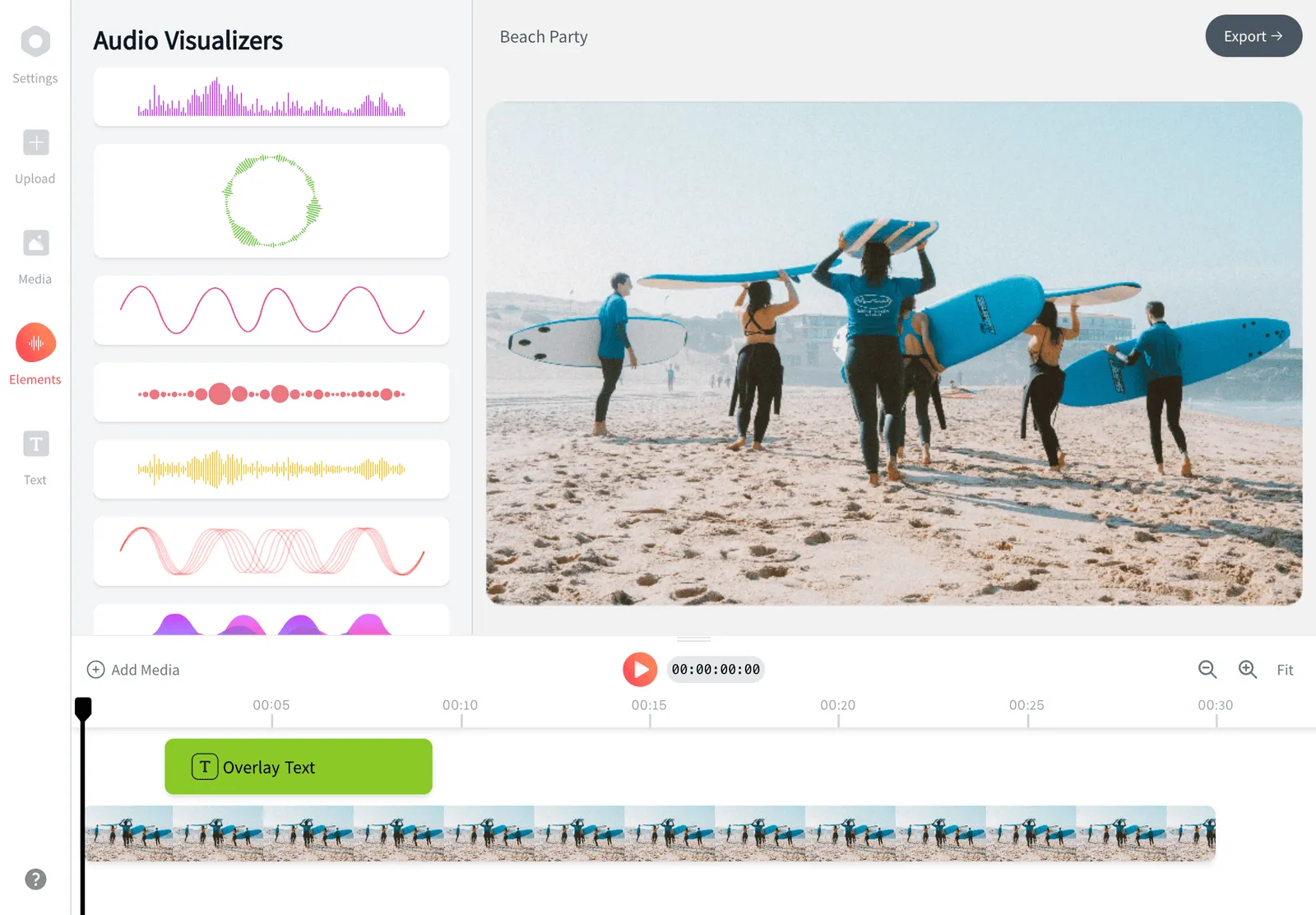
How we checked
Sources used for the claims on this page, as checked August 2026:
- invideo AI pricing (invideo.io) (invideo)
- How do credits work? (invideo.io) (invideo Help Center)
- invideo AI reviews (trustpilot.com) (Trustpilot)
- Pictory pricing (pictory.ai) (Pictory)
- Lumen5 pricing (lumen5.com) (Lumen5)
- VEED pricing (veed.io) (VEED)
- FlexClip pricing (flexclip.com) (FlexClip)
- Renderforest subscription plans (renderforest.com) (Renderforest)
- Biteable pricing (biteable.com) (Biteable)
- Animoto pricing (animoto.com) (Animoto)
- Kapwing pricing (kapwing.com) (Kapwing)
- How much does CapCut Pro cost? (capcut.com) (CapCut Help Center)
Every competitor claim on this page was re-verified against the sources above on August 3, 2026.
Pricing and limits change often. If anything here is out of date, email hello@echowave.io with a link and we'll correct it. Our editorial policy explains how we test and update comparisons.
Trademark and comparison notice. InVideo and all related names, logos, product names and trademarks are the property of their respective owners. EchoWave is an independent product and is not affiliated with, associated with, authorised by, endorsed by, sponsored by, or in any way officially connected to InVideo or its owners. Any third-party names, logos and trademarks are used here only to identify and compare the products honestly (nominative fair use) and do not imply any endorsement, partnership or affiliation.
This comparison reflects EchoWave's own opinion and our understanding of publicly available information believed accurate at the time of writing. Third-party features, pricing and availability change frequently and can vary by region, so figures may be out of date; please confirm the current details on InVideo's official website before making a decision. EchoWave makes no representation or warranty as to the accuracy or completeness of any third-party information shown here. If you believe anything on this page is inaccurate or out of date, please contact us and we will review it promptly.